
Spring AI 来了,打造Java生态大模型应用开发新框架!
Spring AI 来了,打造Java生态大模型应用开发新框架!
- Spring AI 开发框架设计理念
- Spring AI 主要功能特性如下
- Spring AI 应用开发案例
- 案例一:基于大模型的对话应用开发
- 案例二:RAG 检索增强应用开发
- 案例三:Function Calling Agent 应用开发
尽管 Python 长期主导 AI 大模型应用开发领域,但 Java 并未熄火!Spring AI 来了,正式告别实验期,迈向广泛应用新阶段!这意味着 Spring 生态体系的广大开发者,迎来 AI 大模型应用开发的新里程。
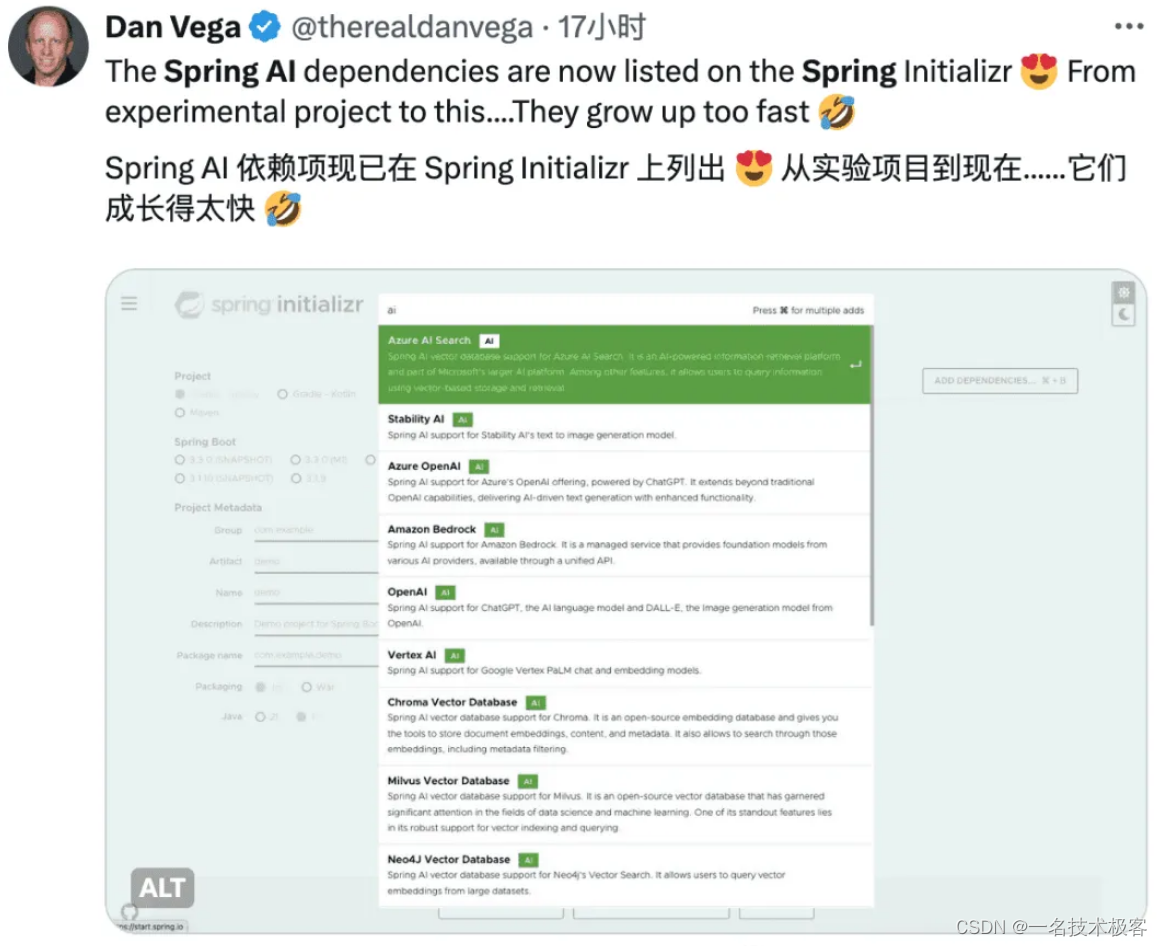
Spring AI 开发框架设计理念
Spring AI 是一个 AI 工程师的应用框架,它提供了一个友好的 API 和开发 AI 应用的抽象,旨在简化 AI 大模型应用的开发工作。
Spring AI 吸取了知名 Python 项目的精髓,比如:LangChain 和 LlamaIndex。Spring AI 是基于这样一个理念创立的:未来的 AI 大模型应用将不仅限于 Python 开发者,而且会普及到多种编程语言中。Spring AI 的核心是提供了开发 AI 大模型应用所需的基本抽象模型,这些抽象拥有多种实现方式,使得开发者可以用很少的代码改动就能实现组件的轻松替换。
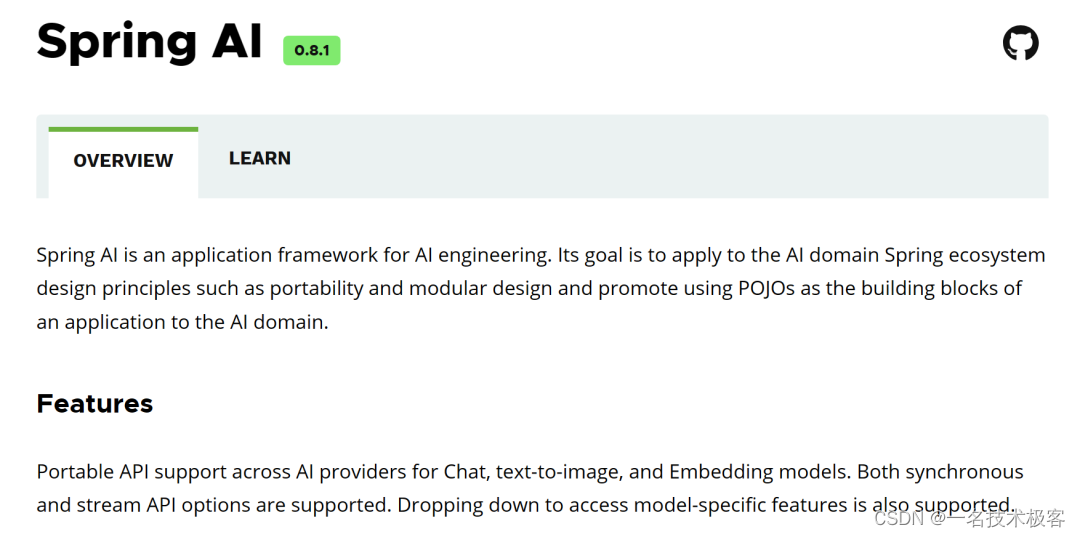
Spring AI 主要功能特性如下
- 第一、 对主流 AI 大模型供应商提供了支持,比如:OpenAI、Microsoft、Amazon、Google HuggingFace、Ollama、MistralAI 支持,目前对国内大模型支持还不友好。
- 第二、 支持 AI 大模型类型包括:聊天、文本到图像、文本到声音,比如:OpenAI with DALL-E、StabilityAI 等。
- 第三、 支持主流的 Embedding Model 和向量数据库,比如:Azure Vector Search、Chroma、Milvus、Neo4j、PostgreSQL/PGVector、PineCone、Redis 等。
- 第四、 把 AI 大模型输出映射到简单的 Java 对象(POJOs)上。
- 第五、 支持了函数调用(Function calling)功能。
- 第六、 为数据工程提供 ETL(数据抽取、转换和加载)框架。
- 第七、 支持 Spring Boot 自动配置和快速启动,便于运行 AI 模型和管理向量库。
当前,Spring AI 最新版本为 0.8.1,具体使用也比较简单,符合 Java 开发者的开发习惯。
更详细的特性在这里:https://spring.io/projects/spring-ai
Spring AI 应用开发案例
接下来我们来看3个具体的开发案例,Spring AI 最新版本为 0.8.1,具体使用也比较简单,符合 Java 开发者的开发习惯。
案例一:基于大模型的对话应用开发
package org.springframework.ai.openai.samples.helloworld.simple;
import org.springframework.ai.chat.ChatClient;
import org.springframework.beans.factory.annotation.Autowired;
import org.springframework.web.bind.annotation.GetMapping;
import org.springframework.web.bind.annotation.RequestParam;
import org.springframework.web.bind.annotation.RestController;
import java.util.Map;
@RestController
public class SimpleAiController {
  private final ChatClient chatClient;
  @Autowired
  public SimpleAiController(ChatClient chatClient) {
    this.chatClient = chatClient;
  }
  @GetMapping("/ai/simple")
  public Map completion(@RequestParam(value = "message", defaultValue = "Tell me a joke") String message) {
    return Map.of("generation", chatClient.call(message));
  }
}
案例二:RAG 检索增强应用开发
package org.springframework.samples.ai.azure.openai.rag;
import org.slf4j.Logger;
import org.slf4j.LoggerFactory;
import org.springframework.ai.client.AiClient;
import org.springframework.ai.client.AiResponse;
import org.springframework.ai.client.Generation;
import org.springframework.ai.document.Document;
import org.springframework.ai.embedding.EmbeddingClient;
import org.springframework.ai.loader.impl.JsonLoader;
import org.springframework.ai.prompt.Prompt;
import org.springframework.ai.prompt.SystemPromptTemplate;
import org.springframework.ai.prompt.messages.Message;
import org.springframework.ai.prompt.messages.UserMessage;
import org.springframework.ai.retriever.impl.VectorStoreRetriever;
import org.springframework.ai.vectorstore.VectorStore;
import org.springframework.ai.vectorstore.impl.InMemoryVectorStore;
import org.springframework.beans.factory.annotation.Value;
import org.springframework.core.io.Resource;
import java.util.List;
import java.util.Map;
import java.util.stream.Collectors;
public class RagService {
    private static final Logger logger = LoggerFactory.getLogger(RagService.class);
    @Value("classpath:/data/bikes.json")
    private Resource bikesResource;
    @Value("classpath:/prompts/system-qa.st")
    private Resource systemBikePrompt;
    private final AiClient aiClient;
    private final EmbeddingClient embeddingClient;
    public RagService(AiClient aiClient, EmbeddingClient embeddingClient) {
        this.aiClient = aiClient;
        this.embeddingClient = embeddingClient;
    }
    public Generation retrieve(String message) {
        // Step 1 - Load JSON document as Documents
        logger.info("Loading JSON as Documents");
        JsonLoader jsonLoader = new JsonLoader(bikesResource,
                "name", "price", "shortDescription", "description");
        List documents = jsonLoader.load();
        logger.info("Loading JSON as Documents");
        // Step 2 - Create embeddings and save to vector store
        logger.info("Creating Embeddings...");
        VectorStore vectorStore = new InMemoryVectorStore(embeddingClient);
        vectorStore.add(documents);
        logger.info("Embeddings created.");
        // Step 3 retrieve related documents to query
        VectorStoreRetriever vectorStoreRetriever = new VectorStoreRetriever(vectorStore);
        logger.info("Retrieving relevant documents");
        List similarDocuments = vectorStoreRetriever.retrieve(message);
        logger.info(String.format("Found %s relevant documents.", similarDocuments.size()));
        // Step 4 Embed documents into SystemMessage with the `system-qa.st` prompt template
        Message systemMessage = getSystemMessage(similarDocuments);
        UserMessage userMessage = new UserMessage(message);
        // Step 4 - Ask the AI model
        logger.info("Asking AI model to reply to question.");
        Prompt prompt = new Prompt(List.of(systemMessage, userMessage));
        logger.info(prompt.toString());
        AiResponse response = aiClient.generate(prompt);
        logger.info("AI responded.");
        logger.info(response.getGeneration().toString());
        return response.getGeneration();
    }
    private Message getSystemMessage(List similarDocuments) {
        String documents = similarDocuments.stream().map(entry -> entry.getContent()).collect(Collectors.joining("\n"));
        SystemPromptTemplate systemPromptTemplate = new SystemPromptTemplate(systemBikePrompt);
        Message systemMessage = systemPromptTemplate.createMessage(Map.of("documents", documents));
        return systemMessage;
    }
}
案例三:Function Calling Agent 应用开发
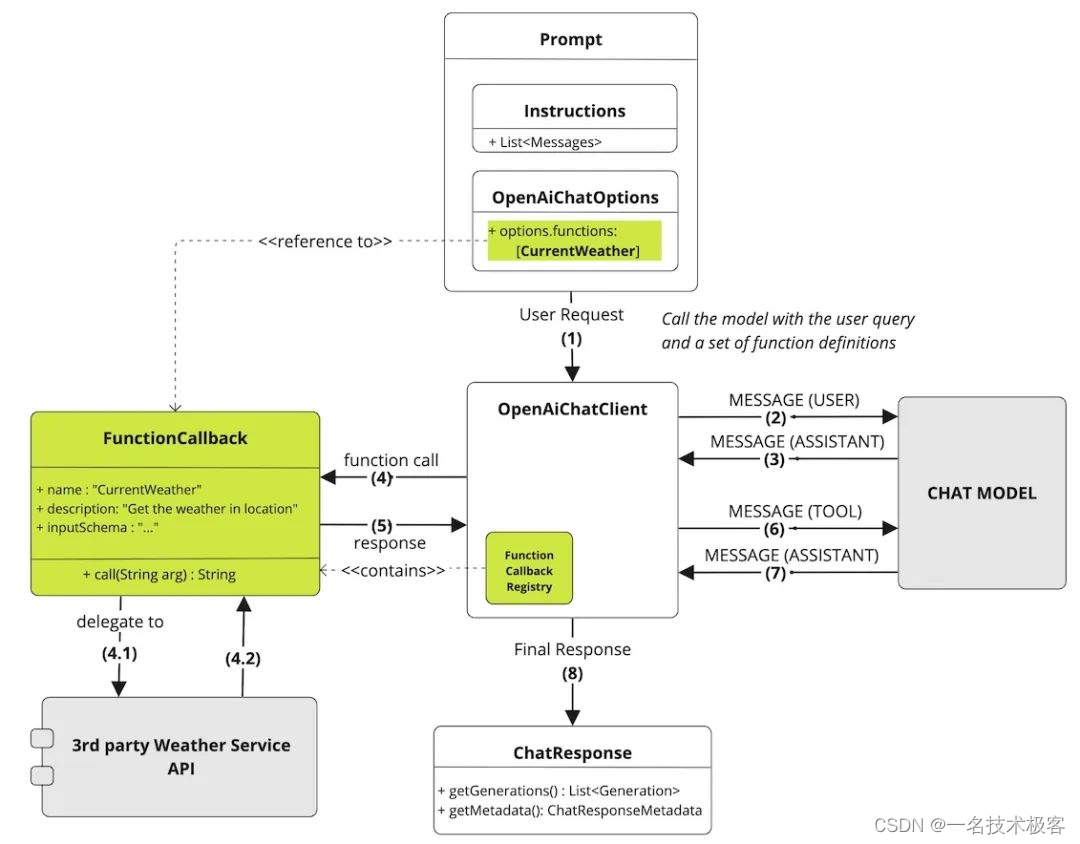
Spring AI Function Calling 函数调用工作流程如下图所示:包含了 Prompt 提示词、大模型、业务服务 API、回调、大模型响应等核心模块。
免责声明:我们致力于保护作者版权,注重分享,被刊用文章因无法核实真实出处,未能及时与作者取得联系,或有版权异议的,请联系管理员,我们会立即处理! 部分文章是来自自研大数据AI进行生成,内容摘自(百度百科,百度知道,头条百科,中国民法典,刑法,牛津词典,新华词典,汉语词典,国家院校,科普平台)等数据,内容仅供学习参考,不准确地方联系删除处理! 图片声明:本站部分配图来自人工智能系统AI生成,觅知网授权图片,PxHere摄影无版权图库和百度,360,搜狗等多加搜索引擎自动关键词搜索配图,如有侵权的图片,请第一时间联系我们,邮箱:ciyunidc@ciyunshuju.com。本站只作为美观性配图使用,无任何非法侵犯第三方意图,一切解释权归图片著作权方,本站不承担任何责任。如有恶意碰瓷者,必当奉陪到底严惩不贷!


