
【SpringBoot Web框架实战教程(开源)】01 使用 pom 方式创建 SpringBoot 第一个项目
导读
这是一系列关于 SpringBoot Web框架实战 的教程,从项目的创建,到一个完整的 web 框架(包括异常处理、拦截器、context 上下文等);从0开始,到一个可以直接运用在生产环境中的web框架。而且所有源码均开源:https://github.com/xiongxianhe/springboot
注:本系列项目的构建工具均使用 IntelliJ IDEA
1. 创建项目
-
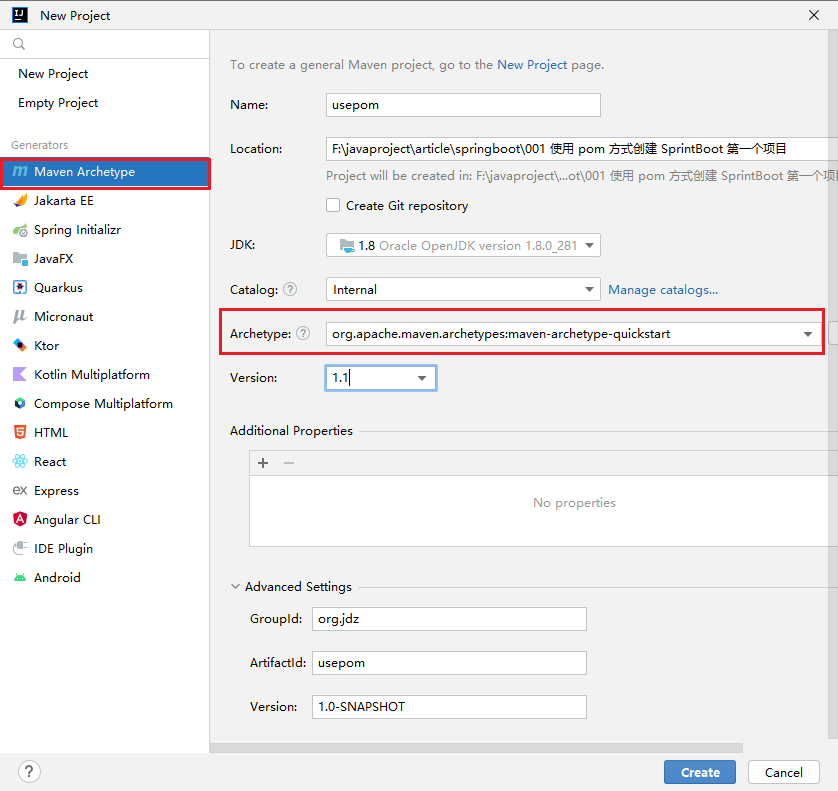
选择 Maven Archetype
-
在 Archetype 中选择 org.apache.maven.archetypes:maven-archetype-quickstart
-
其他属性内容,根据实际情况进行填写,如下图:
2. 配置 pom.xml 文件
等待 maven 加载相关依赖后,呈现如下相关文件结构:
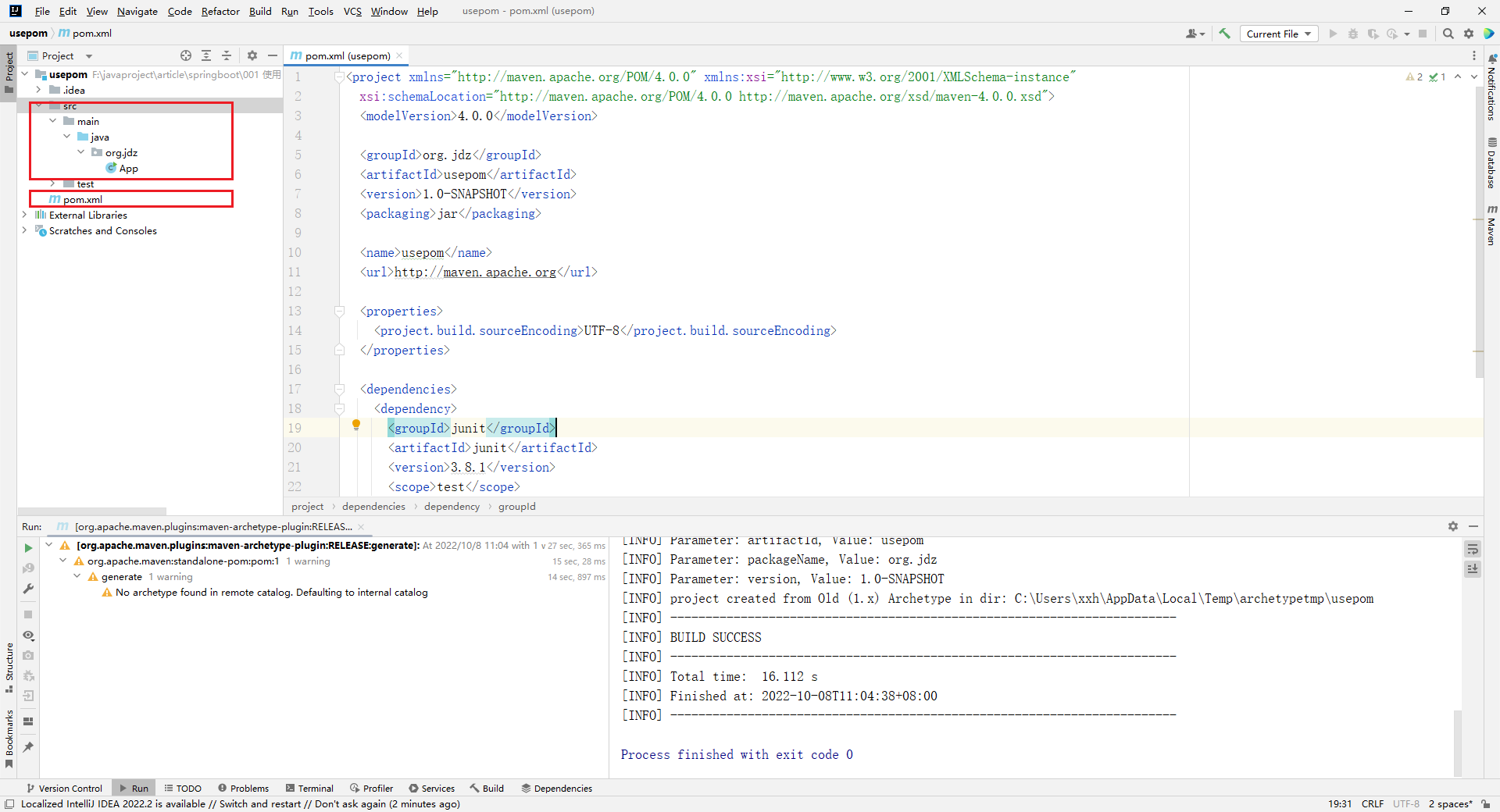
打开 pom.xml 文件,默认文件内容如下:
  4.0.0
  org.jdz
  usepom
  1.0-SNAPSHOT
  jar
  usepom
  http://maven.apache.org

    UTF-8


      junit
      junit
      3.8.1
      test
增加 SpringBoot 相关配置
主要配置:
    org.springframework.boot
    spring-boot-starter-parent
    2.7.3


      org.springframework.boot
      spring-boot-starter-web
相关插件
        org.springframework.boot
        spring-boot-maven-plugin
完整的 pom.xml 内容:
  4.0.0
  org.jdz
  usepom
  1.0-SNAPSHOT
  jar
  usepom
  http://maven.apache.org


    org.springframework.boot
    spring-boot-starter-parent
    2.7.3


    UTF-8


      org.springframework.boot
      spring-boot-starter-web


      junit
      junit
      3.8.1
      test


        org.springframework.boot
        spring-boot-maven-plugin
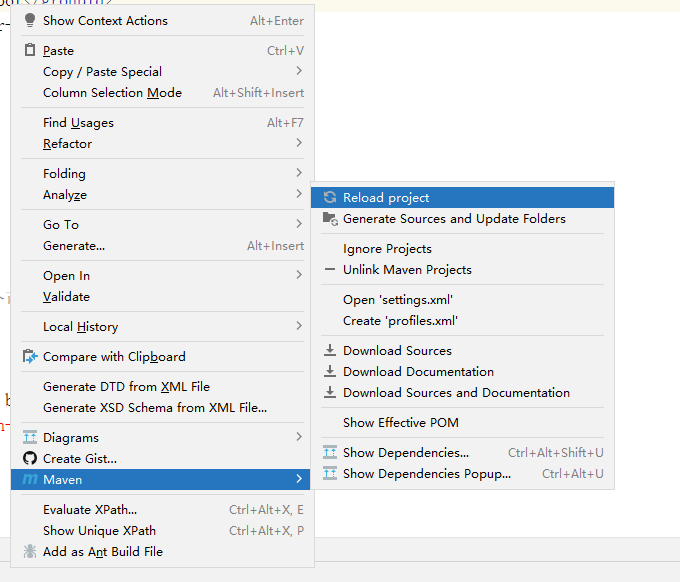
pom.xml 配置好,更新 maven,如下图:
3. 编写代码
main 入口文件
package org.jdz;
import org.springframework.boot.SpringApplication;
import org.springframework.boot.autoconfigure.SpringBootApplication;
/**
 * Hello world!
 *
 */
@SpringBootApplication
public class App
{
    public static void main( String[] args )
    {
        System.out.println( "Hello World!" );
        SpringApplication.run(App.class, args);
    }
}
@SpringBootApplication
@SpringBootApplication用来标注应用的主配置类,那么SpringBoot就可以通过启动这个主配置类的main方法来启动SpringBoot应用。
到此,一个 SpringBoot 项目就已创建完成,点击运行,输入如下图:
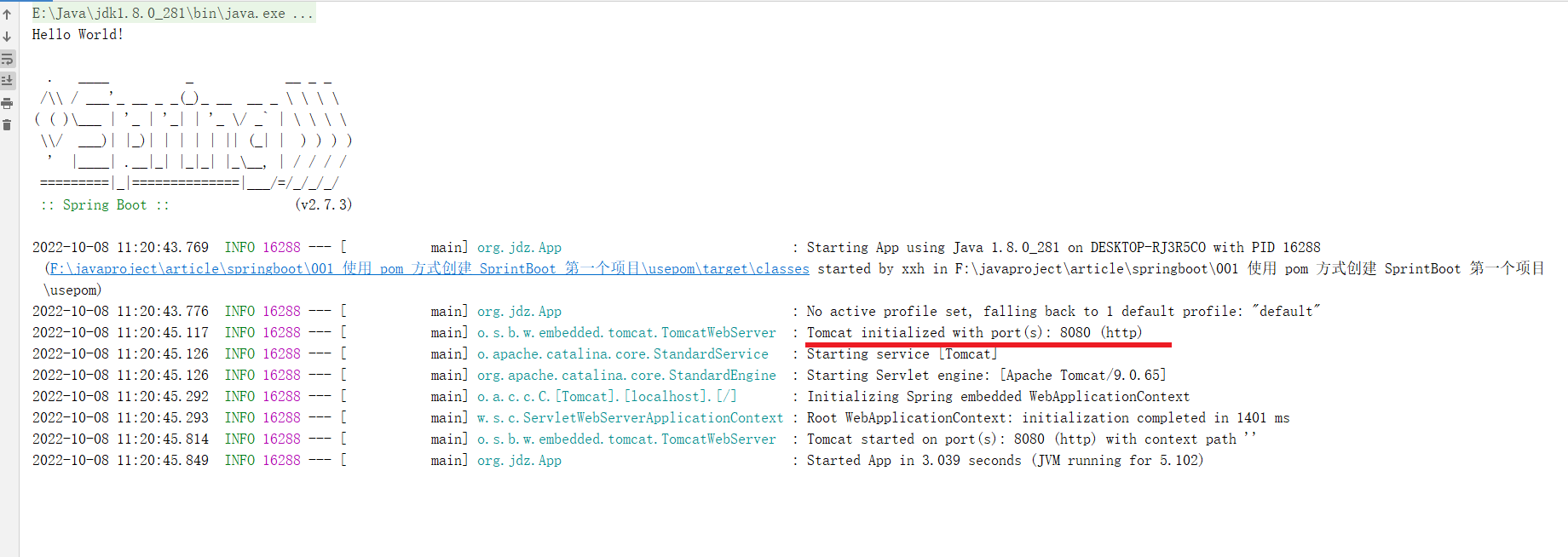
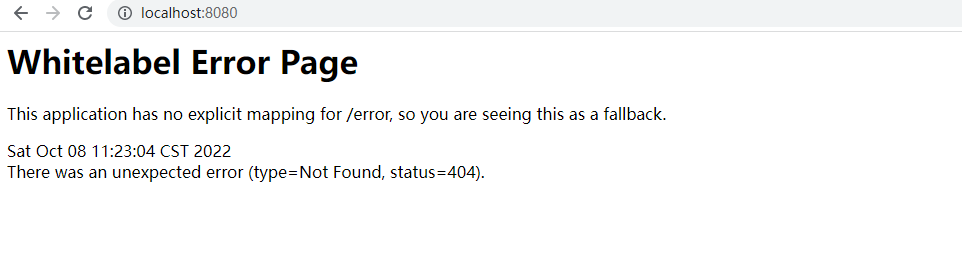
SpringBoot 内置 Tomcat 并启动 8080 为 web 端口,在浏览器上访问 http://localhost:8080/ , 出现如下图所示,即 SpringBoot 已正常启动
4. 输出 hello springboot
controller 类编写
- 新建 controller 包
- 在 controller 包下新建 HelloController.java
注:
- 新建 controller 包 不是必须
- 类文件名 HelloController 的命名格式不是必须
- 只需要 Controller 类中的类名增加 @Controller 即可
package org.jdz.controller;
import org.springframework.stereotype.Controller;
import org.springframework.web.bind.annotation.RequestMapping;
import org.springframework.web.bind.annotation.ResponseBody;
@Controller
public class HelloController {
    @RequestMapping("/hello")
    @ResponseBody
    public String hello() {
        return "Hello Spring Boot.";
    }
}
重启启动项目,并访问: http://localhost:8080/hello ,此时页面输出:
Hello Spring Boot.
完整的目录结构:
app
├─pom.xml
├─target
|   ├─usepom-1.0-SNAPSHOT.jar
|   ├─usepom-1.0-SNAPSHOT.jar.original
|   ├─test-classes
|   |      ├─org
|   |      |  ├─jdz
|   |      |  |  └AppTest.class
|   ├─surefire-reports
|   |        ├─org.jdz.AppTest.txt
|   |        └TEST-org.jdz.AppTest.xml
|   ├─maven-status
|   |      ├─maven-compiler-plugin
|   |      |           ├─testCompile
|   |      |           |      ├─default-testCompile
|   |      |           |      |          ├─createdFiles.lst
|   |      |           |      |          └inputFiles.lst
|   |      |           ├─compile
|   |      |           |    ├─default-compile
|   |      |           |    |        ├─createdFiles.lst
|   |      |           |    |        └inputFiles.lst
|   ├─maven-archiver
|   |       └pom.properties
|   ├─generated-test-sources
|   |           ├─test-annotations
|   ├─generated-sources
|   |         ├─annotations
|   ├─classes
|   |    ├─org
|   |    |  ├─jdz
|   |    |  |  ├─App.class
|   |    |  |  ├─controller
|   |    |  |  |     └HelloController.class
├─src
|  ├─test
|  |  ├─java
|  |  |  ├─org
|  |  |  |  ├─jdz
|  |  |  |  |  └AppTest.java
|  ├─main
|  |  ├─java
|  |  |  ├─org
|  |  |  |  ├─jdz
|  |  |  |  |  ├─App.java
|  |  |  |  |  ├─controller
|  |  |  |  |  |     └HelloController.java
源码: https://github.com/xiongxianhe/springboot.git
免责声明:我们致力于保护作者版权,注重分享,被刊用文章因无法核实真实出处,未能及时与作者取得联系,或有版权异议的,请联系管理员,我们会立即处理! 部分文章是来自自研大数据AI进行生成,内容摘自(百度百科,百度知道,头条百科,中国民法典,刑法,牛津词典,新华词典,汉语词典,国家院校,科普平台)等数据,内容仅供学习参考,不准确地方联系删除处理! 图片声明:本站部分配图来自人工智能系统AI生成,觅知网授权图片,PxHere摄影无版权图库和百度,360,搜狗等多加搜索引擎自动关键词搜索配图,如有侵权的图片,请第一时间联系我们,邮箱:ciyunidc@ciyunshuju.com。本站只作为美观性配图使用,无任何非法侵犯第三方意图,一切解释权归图片著作权方,本站不承担任何责任。如有恶意碰瓷者,必当奉陪到底严惩不贷!


