
vue-主题切换
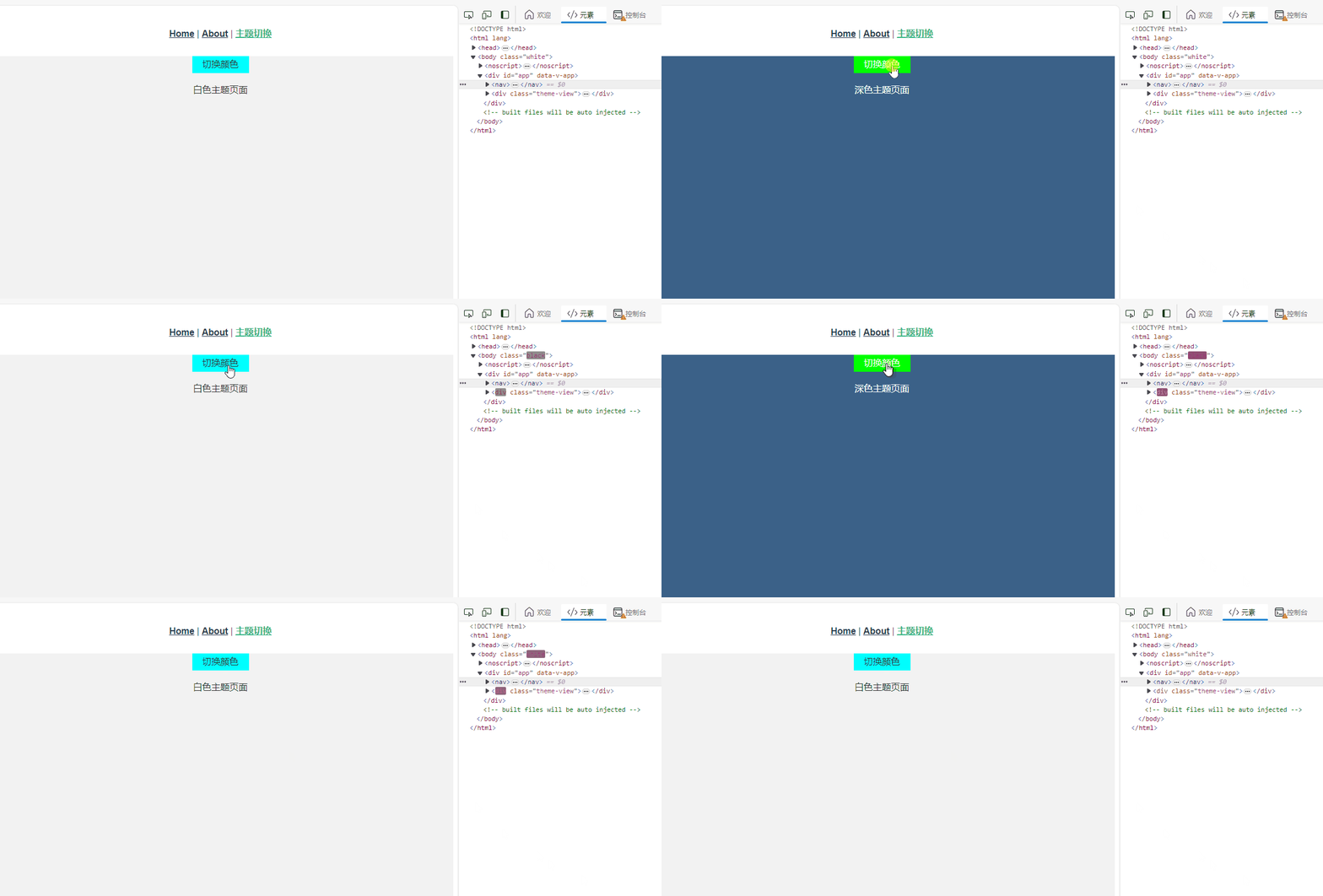
themeName/index.vue页面:
    切换颜色


    {{themeName == 'white' ? '白色' : '深色'}}主题页面


export default {
    data(){
        return {
            // themeName: 'white', // 白色主题
        }
    },
    computed: {
        // 获取store中的主题色
        themeName() {
            return this.$store.state.user.themeName
        }
    },
    mounted() {
        // 给body添加类名
        document.body.classList.add(this.themeName);
    },
    methods: {
        themeClick(){
            if(this.themeName == 'white'){
                // 存储主题色到全局
                this.$store.commit('saveTheme', 'black')
                // 移除已有主题颜色
                document.body.classList.remove('white')
            }else{
                this.$store.commit('saveTheme', 'white')
                document.body.classList.remove('black')
            }
            // 新增主题类名
            document.body.classList.add(this.themeName)
        },
    },
}


.theme-view{
    width: 100%;
    height: 80vh;
    /* 如果css样式权重值不够,需要加 !important */
    background: var(--theme-bg);
    color: var(--theme-color);
}
.theme-btn{
    margin: 0 auto;
    height: 30px;
    width: 100px;
    background: var(--theme-btn);
    line-height: 30px;
    cursor: pointer;
    user-select: none;
}
styles/white.css文件:
.white {
  /* 定义css白色主题颜色 */
  --theme-bg: #f2f2f2;
  --theme-color: #333;
  --theme-btn: #0ff;
}
styles/black.css文件:
.black {
   /* 定义css黑色主题颜色 */
  --theme-bg: #3b6188;
  --theme-color: #fff;
  --theme-btn: #0f0;
}
store/modules/user.js文件:
const state = {
    themeName: 'white', // 白色主题,全局共用同一个主题类型
}
const mutations = {
    saveTheme(state, params){
        state.themeName = params;
    },
}
export default {
    state,
    mutations,
}
main.js文件:
// 引入主题颜色
import './styles/white.css'
import './styles/black.css';
免责声明:我们致力于保护作者版权,注重分享,被刊用文章因无法核实真实出处,未能及时与作者取得联系,或有版权异议的,请联系管理员,我们会立即处理! 部分文章是来自自研大数据AI进行生成,内容摘自(百度百科,百度知道,头条百科,中国民法典,刑法,牛津词典,新华词典,汉语词典,国家院校,科普平台)等数据,内容仅供学习参考,不准确地方联系删除处理! 图片声明:本站部分配图来自人工智能系统AI生成,觅知网授权图片,PxHere摄影无版权图库和百度,360,搜狗等多加搜索引擎自动关键词搜索配图,如有侵权的图片,请第一时间联系我们,邮箱:ciyunidc@ciyunshuju.com。本站只作为美观性配图使用,无任何非法侵犯第三方意图,一切解释权归图片著作权方,本站不承担任何责任。如有恶意碰瓷者,必当奉陪到底严惩不贷!


