
【ai技术】(4):在树莓派上,使用qwen0.5b大模型+chatgptweb,搭建本地大模型聊天环境,速度飞快,非常不错!
1,视频地址
https://www.bilibili.com/video/BV1VK421i7CZ/
【ai技术】(4):在树莓派4上,使用ollama部署qwen0.5b大模型+chatgptweb前端界面,搭建本地大模型聊天工具,速度飞快
2,下载镜像 raspberry-pi-os-64-bit
https://blog.csdn.net/freewebsys/article/details/136921703
项目地址:
https://www.raspberrypi.com/software/operating-systems/#raspberry-pi-os-64-bit
3,在raspberrypi 4 上安装docker和docker-compose
https://docs.docker.com/engine/install/debian/
设置docker 的源:
# Add Docker's official GPG key:
sudo apt-get update
sudo apt-get install ca-certificates curl
sudo install -m 0755 -d /etc/apt/keyrings
sudo curl -fsSL https://download.docker.com/linux/debian/gpg -o /etc/apt/keyrings/docker.asc
sudo chmod a+r /etc/apt/keyrings/docker.asc
# Add the repository to Apt sources:
echo \
  "deb [arch=$(dpkg --print-architecture) signed-by=/etc/apt/keyrings/docker.asc] https://download.docker.com/linux/debian \
  $(. /etc/os-release && echo "$VERSION_CODENAME") stable" | \
  sudo tee /etc/apt/sources.list.d/docker.list > /dev/null
sudo apt-get update
替换成 阿里 源:
sed -i 's/deb.debian.org/mirrors.aliyun.com/g' /etc/apt/sources.list
安装docker 和 docker-compose 命令
sudo apt-get install docker-ce docker-ce-cli containerd.io docker-buildx-plugin docker-compose-plugin
经过漫长等等,就可以安装成功了:
Setting up docker-ce-rootless-extras (5:26.0.0-1~debian.12~bookworm) ...
Setting up slirp4netns (1.2.0-1) ...
Setting up iptables (1.8.9-2) ...
update-alternatives: using /usr/sbin/iptables-legacy to provide /usr/sbin/iptables (iptables) in auto mode
update-alternatives: using /usr/sbin/ip6tables-legacy to provide /usr/sbin/ip6tables (ip6tables) in auto mode
update-alternatives: using /usr/sbin/iptables-nft to provide /usr/sbin/iptables (iptables) in auto mode
update-alternatives: using /usr/sbin/ip6tables-nft to provide /usr/sbin/ip6tables (ip6tables) in auto mode
update-alternatives: using /usr/sbin/arptables-nft to provide /usr/sbin/arptables (arptables) in auto mode
update-alternatives: using /usr/sbin/ebtables-nft to provide /usr/sbin/ebtables (ebtables) in auto mode
Setting up docker-ce (5:26.0.0-1~debian.12~bookworm) ...
Created symlink /etc/systemd/system/multi-user.target.wants/docker.service → /lib/systemd/system/docker.service.
Created symlink /etc/systemd/system/sockets.target.wants/docker.socket → /lib/systemd/system/docker.socket.
Setting up git (1:2.39.2-1.1) ...
Processing triggers for man-db (2.11.2-2) ...
Processing triggers for libc-bin (2.36-9+rpt2+deb12u4) ...
docker -v
Docker version 26.0.0, build 2ae903e
特别注意是 docker-compose-linux-armv7 版本,linux版本。
sudo curl -SL https://mirror.ghproxy.com/https://github.com/docker/compose/releases/download/v2.25.0/docker-compose-linux-armv7 -o /usr/local/bin/docker-compose
#然后授权
sudo chmod 755 /usr/local/bin/docker-compose
docker-compose -v
Docker Compose version v2.25.0
建议切换成百度的镜像:
{
   "registry-mirrors":
	[ "https://mirror.baidubce.com" ]
}
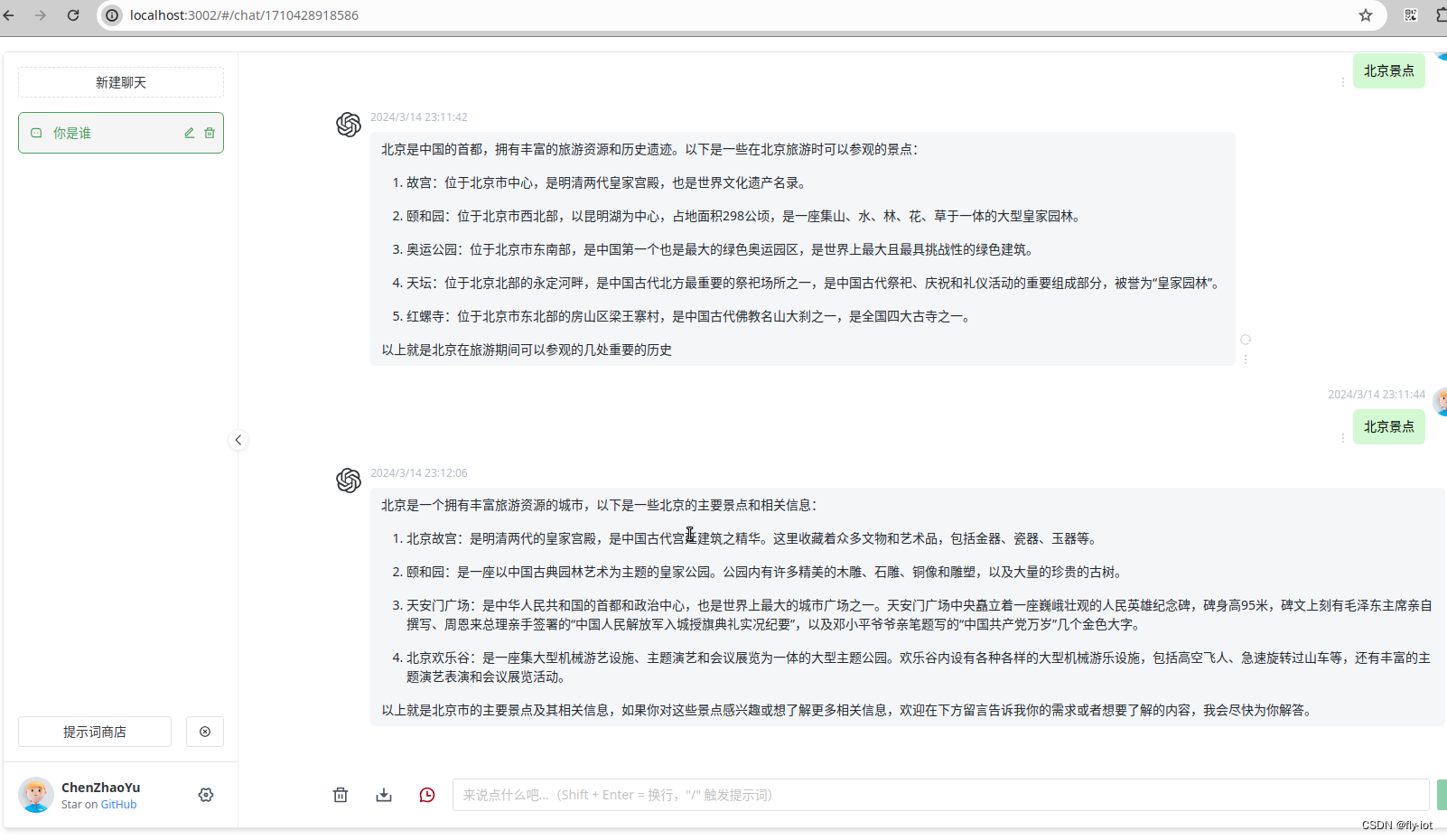
4,下载项目ollama-chatgpt-web并启动
git clone https://gitee.com/fly-llm/ollama-chatgpt-web.git
cd ollama-chatgpt-web
docker-compose up -d
文章版权声明:除非注明,否则均为主机测评原创文章,转载或复制请以超链接形式并注明出处。


