
实现:mysql-5.7.42 到 mysql-8.2.0 的升级(rpm方式)
实现:mysql-5.7.42 到 mysql-8.2.0 的升级(rpm方式)
- 1、升级准备
- 1、使用mysql-shell 检查工具检查兼容性
- 2、操作环境
- 3、备份数据库、my.cnf文件,停止mysql服务(重要)
- 4、上传、解压安装包
- 5、查看已安装的mysql-5.7.42有关的包
- 6、升级、按顺序执行
- 7、升级验证
💖The Begin💖点点关注,收藏不迷路💖 
注:本文在测试环境升级测试,建议先在测试环境验证。mysql-5.7.42为rpm安装,所以用rpm方式升级
1、升级准备
1、数据备份:在升级之前,务必对当前的 MySQL 5.7 数据库进行完整备份,以防止数据丢失或损坏。确保备份文件的安全存储,并测试其可恢复性。
2、安全性考虑:建议在测试环境中进行升级测试,以模拟真实场景并检测潜在问题。这有助于减少生产环境中的不确定性和风险。
1、使用mysql-shell 检查工具检查兼容性
下载地址:https://downloads.mysql.com/archives/shell/
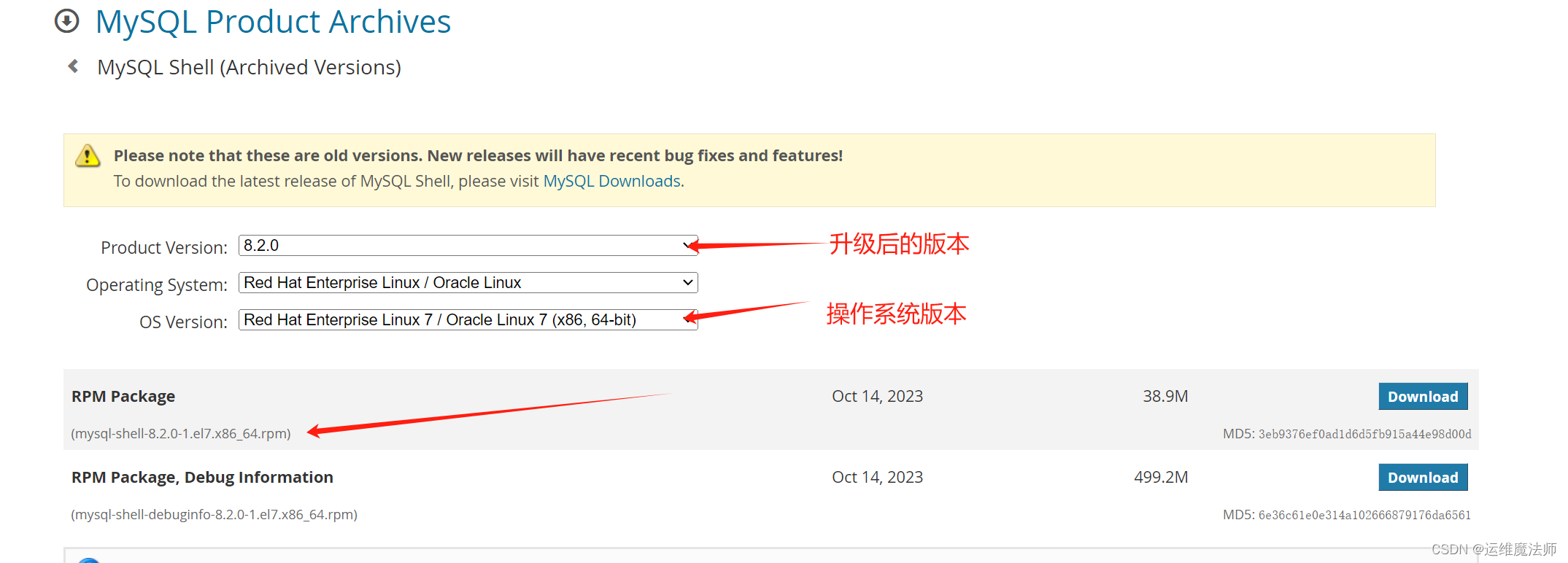
上传mysql-shell:
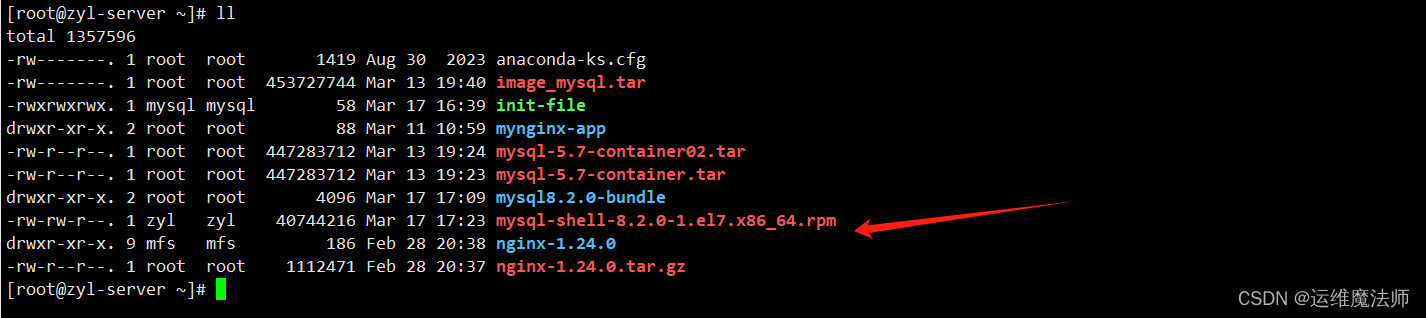
安装 mysql-shell rpm 软件包::
rpm -Uvh mysql-shell-8.2.0-1.el7.x86_64.rpm --force --nodeps
查看 mysql-shel安装版本:
mysqlsh --version

检查该版本是否可以升级到MySQL 8.2.0:
mysqlsh -uroot -p -S /var/lib/mysql/mysql.sock -e "util.checkForServerUpgrade()"
检查结果报告:
[root@zyl-server ~]# mysqlsh -uroot -p -S /var/lib/mysql/mysql.sock -e "util.checkForServerUpgrade()"
Please provide the password for 'root@/var%2Flib%2Fmysql%2Fmysql.sock': ********(zyl@2024)
Save password for 'root@/var%2Flib%2Fmysql%2Fmysql.sock'? [Y]es/[N]o/Ne[v]er (default No): Y
The MySQL server at /var%2Flib%2Fmysql%2Fmysql.sock, version 5.7.42 - MySQL
Community Server (GPL), will now be checked for compatibility issues for
upgrade to MySQL 8.2.0...
1) Usage of old temporal type
  No issues found
2) MySQL 8.0 syntax check for routine-like objects
  No issues found
3) Usage of db objects with names conflicting with new reserved keywords
  No issues found
4) Usage of utf8mb3 charset
  No issues found
5) Table names in the mysql schema conflicting with new tables in 8.0
  No issues found
6) Partitioned tables using engines with non native partitioning
  No issues found
7) Foreign key constraint names longer than 64 characters
  No issues found
8) Usage of obsolete MAXDB sql_mode flag
  No issues found
9) Usage of obsolete sql_mode flags
  Notice: The following DB objects have obsolete options persisted for
    sql_mode, which will be cleared during upgrade to 8.0.
  More information:
    https://dev.mysql.com/doc/refman/8.0/en/mysql-nutshell.html#mysql-nutshell-removals
  db_zyl.InsertMultipleUsers - PROCEDURE uses obsolete NO_AUTO_CREATE_USER
    sql_mode
  global system variable sql_mode - defined using obsolete NO_AUTO_CREATE_USER
    option
10) ENUM/SET column definitions containing elements longer than 255 characters
  No issues found
11) Usage of partitioned tables in shared tablespaces
  No issues found
12) Circular directory references in tablespace data file paths
  No issues found
13) Usage of removed functions
  No issues found
14) Usage of removed GROUP BY ASC/DESC syntax
  No issues found
15) Removed system variables for error logging to the system log configuration
  To run this check requires full path to MySQL server configuration file to be specified at 'configPath' key of options dictionary
  More information:
    https://dev.mysql.com/doc/relnotes/mysql/8.0/en/news-8-0-13.html#mysqld-8-0-13-logging
16) Removed system variables
  To run this check requires full path to MySQL server configuration file to be specified at 'configPath' key of options dictionary
  More information:
    https://dev.mysql.com/doc/refman/8.0/en/added-deprecated-removed.html#optvars-removed
17) System variables with new default values
  To run this check requires full path to MySQL server configuration file to be specified at 'configPath' key of options dictionary
  More information:
    https://mysqlserverteam.com/new-defaults-in-mysql-8-0/
18) Zero Date, Datetime, and Timestamp values
  No issues found
19) Schema inconsistencies resulting from file removal or corruption
  No issues found
20) Tables recognized by InnoDB that belong to a different engine
  No issues found
21) Issues reported by 'check table x for upgrade' command
  No issues found
22) New default authentication plugin considerations
  Warning: The new default authentication plugin 'caching_sha2_password' offers
    more secure password hashing than previously used 'mysql_native_password'
    (and consequent improved client connection authentication). However, it also
    has compatibility implications that may affect existing MySQL installations.
    If your MySQL installation must serve pre-8.0 clients and you encounter
    compatibility issues after upgrading, the simplest way to address those
    issues is to reconfigure the server to revert to the previous default
    authentication plugin (mysql_native_password). For example, use these lines
    in the server option file:

    [mysqld]
    default_authentication_plugin=mysql_native_password

    However, the setting should be viewed as temporary, not as a long term or
    permanent solution, because it causes new accounts created with the setting
    in effect to forego the improved authentication security.
    If you are using replication please take time to understand how the
    authentication plugin changes may impact you.
  More information:
    https://dev.mysql.com/doc/refman/8.0/en/upgrading-from-previous-series.html#upgrade-caching-sha2-password-compatibility-issues
    https://dev.mysql.com/doc/refman/8.0/en/upgrading-from-previous-series.html#upgrade-caching-sha2-password-replication
23) Columns which cannot have default values
  No issues found
24) Check for invalid table names and schema names used in 5.7
  No issues found
25) Check for orphaned routines in 5.7
  No issues found
26) Check for deprecated usage of single dollar signs in object names
  No issues found
27) Check for indexes that are too large to work on higher versions of MySQL
Server than 5.7
  No issues found
28) Check for deprecated '.
' syntax used in routines. No issues found 29) Check for columns that have foreign keys pointing to tables from a diffrent database engine. No issues found Errors: 0 Warnings: 1 Notices: 2 NOTE: No fatal errors were found that would prevent an upgrade, but some potential issues were detected. Please ensure that the reported issues are not significant before upgrading. [root@zyl-server ~]#
检查结果显示:
没有发现使用旧的时间类型的问题。
没有发现MySQL 8.0 语法检查问题。
没有发现与新保留关键字冲突的数据库对象使用问题。
没有发现使用utf8mb3字符集的问题。
没有发现mysql模式中的表名与MySQL 8.0中的新表冲突的问题。
没有发现使用非原生分区引擎的分区表的问题。
没有发现外键约束名称超过64个字符的问题。
没有发现使用已弃用MAXDB sql_mode标志的问题。
发现某些数据库对象具有过时的sql_mode选项,将在升级到8.0时清除。
没有发现ENUM/SET列定义中包含超过255个字符的元素的问题。
没有发现在共享表空间中使用分区表的问题。
没有发现循环目录引用的问题。
没有发现使用已删除函数的问题。
没有发现使用已删除的GROUP BY ASC/DESC语法的问题。
没有发现已删除的系统变量以进行错误日志记录的问题。
没有发现已删除的系统变量的问题。
检查到有新的默认值的系统变量。
没有发现零日期、日期时间和时间戳值的问题。
没有发现由于文件删除或损坏导致的模式不一致问题。
没有发现被InnoDB识别为属于不同引擎的表的问题。
没有发现通过'check table x for upgrade'命令报告的问题。
发现新的默认身份验证插件的注意事项。
没有发现不能具有默认值的列的问题。
没有发现在5.7中使用无效的表名和模式名的问题。
没有发现在5.7中存在的孤立例程的问题。
没有发现在对象名称中使用单个美元符号的已弃用用法的问题。
没有发现在高于MySQL 5.7版本的MySQL服务器上无法工作的太大的索引的问题。
没有发现在例程中使用已弃用的'.
'语法的问题。 没有发现具有指向来自不同数据库引擎的表的外键的列的问题。 总结: 错误:0 警告:1 注意事项:2
2、操作环境
1、查看当前数据库版本
mysql> select@@version;
+-----------+
| @@version |
+-----------+
| 5.7.42    |
+-----------+
1 row in set (0.00 sec)
mysql>
2、操作系统版本
[root@zyl-server ~]#  cat /etc/redhat-release
CentOS Linux release 7.9.2009 (Core)
[root@zyl-server ~]#
[root@zyl-server ~]#
3、备份数据库、my.cnf文件,停止mysql服务(重要)
[root@zyl-server ~]# mysqldump -hlocalhost -uroot -p --all-databases > /home/db_back_2024.sql
Enter password:
[root@zyl-server ~]# ll
total 1317800
-rw-------. 1 root  root       1419 Aug 30  2023 anaconda-ks.cfg
-rw-------. 1 root  root  453727744 Mar 13 19:40 image_mysql.tar
-rwxrwxrwx. 1 mysql mysql        58 Mar 17 16:39 init-file
drwxr-xr-x. 2 root  root         88 Mar 11 10:59 mynginx-app
-rw-r--r--. 1 root  root  447283712 Mar 13 19:24 mysql-5.7-container02.tar
-rw-r--r--. 1 root  root  447283712 Mar 13 19:23 mysql-5.7-container.tar
drwxr-xr-x. 9 mfs   mfs         186 Feb 28 20:38 nginx-1.24.0
-rw-r--r--. 1 root  root    1112471 Feb 28 20:37 nginx-1.24.0.tar.gz
[root@zyl-server ~]# cd /home/
[root@zyl-server home]# ll
total 876
-rw-r--r--. 1 root  root  890551 Mar 17 16:58 db_back_2024.sql
drwx------. 2 mfs   mfs       99 Feb 29 21:49 mfs
drwx------. 2 redis redis     99 Mar  3 02:43 redis
drwx------. 3 zyl   zyl     4096 Mar 16 13:47 zyl
[root@zyl-server home]#
[root@zyl-server home]# cp /etc/my.cnf /home/5.7.37_my.cnf
[root@zyl-server home]#
[root@zyl-server home]#
[root@zyl-server home]# systemctl stop mysqld
4、上传、解压安装包
下载mysql8.2.0:
https://downloads.mysql.com/archives/community/
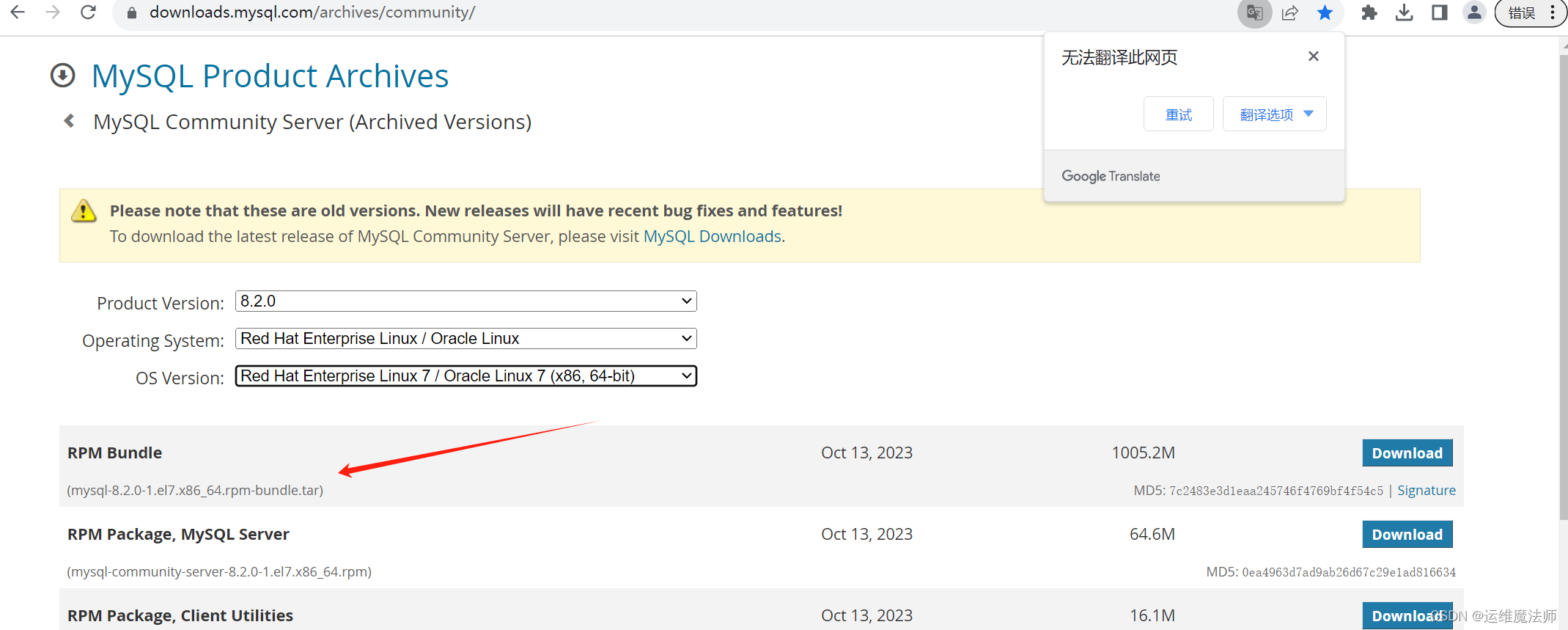
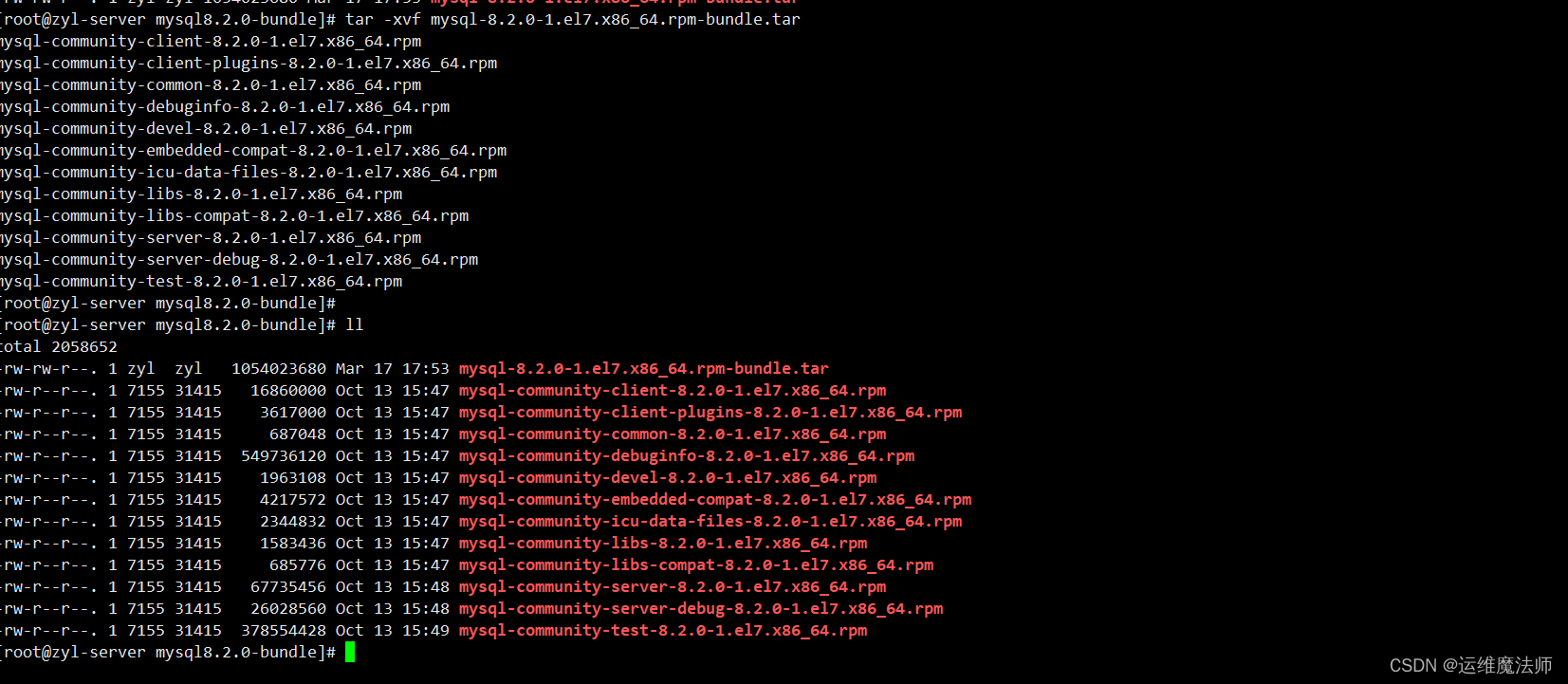
创建"mysql8.2.0-bundle"的文件夹,用于存放解压文件。
mkdir mysql8.2.0-bundle
tar -xvf mysql-8.2.0-1.el7.x86_64.rpm-bundle.tar
5、查看已安装的mysql-5.7.42有关的包
列出系统中所有与 mysql 相关的 RPM 软件包。
rpm -qa|grep -i mysql

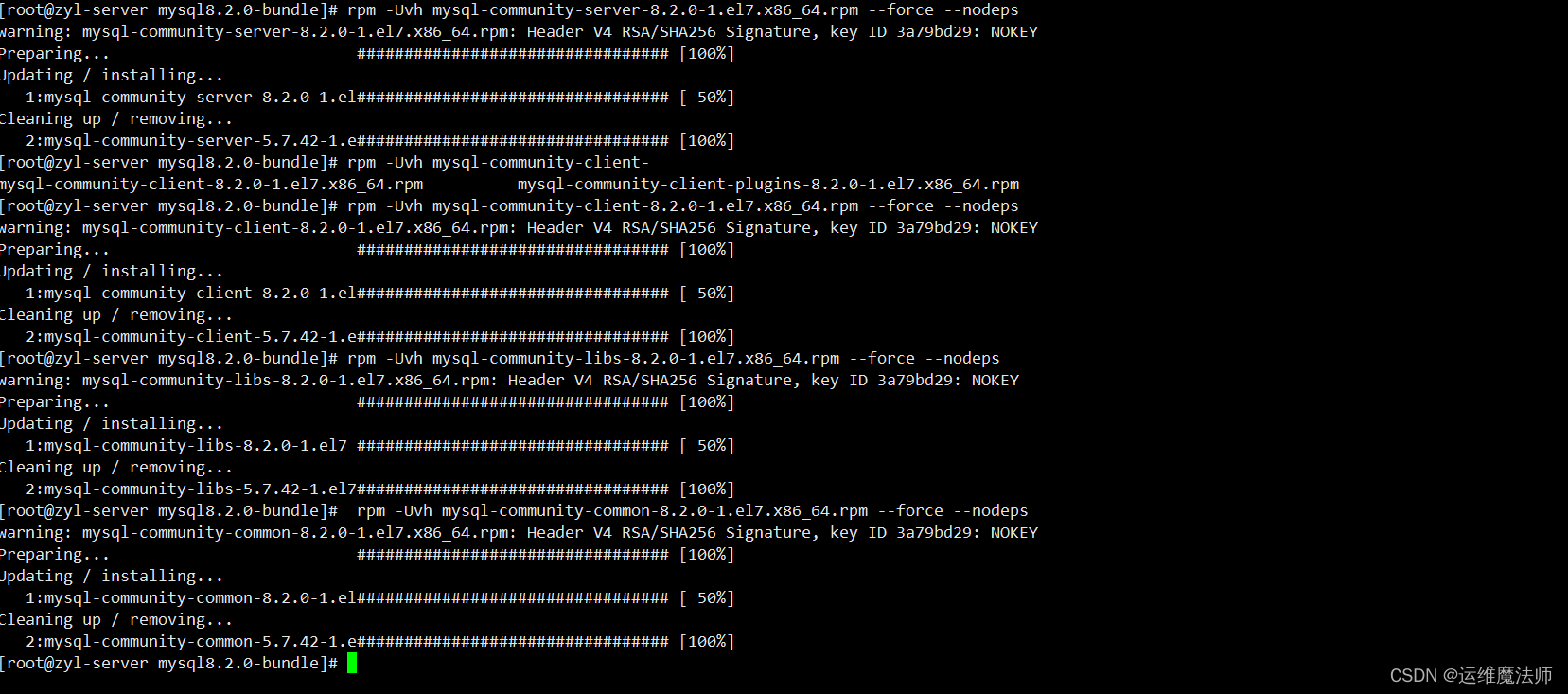
6、升级、按顺序执行
[root@zyl-server mysql8.2.0-bundle]# rpm -Uvh mysql-community-server-8.2.0-1.el7.x86_64.rpm --force --nodeps
warning: mysql-community-server-8.2.0-1.el7.x86_64.rpm: Header V4 RSA/SHA256 Signature, key ID 3a79bd29: NOKEY
Preparing...                          ################################# [100%]
Updating / installing...
   1:mysql-community-server-8.2.0-1.el################################# [ 50%]
Cleaning up / removing...
   2:mysql-community-server-5.7.42-1.e################################# [100%]

[root@zyl-server mysql8.2.0-bundle]# rpm -Uvh mysql-community-client-
mysql-community-client-8.2.0-1.el7.x86_64.rpm          mysql-community-client-plugins-8.2.0-1.el7.x86_64.rpm
[root@zyl-server mysql8.2.0-bundle]# rpm -Uvh mysql-community-client-8.2.0-1.el7.x86_64.rpm --force --nodeps
warning: mysql-community-client-8.2.0-1.el7.x86_64.rpm: Header V4 RSA/SHA256 Signature, key ID 3a79bd29: NOKEY
Preparing...                          ################################# [100%]
Updating / installing...
   1:mysql-community-client-8.2.0-1.el################################# [ 50%]
Cleaning up / removing...
   2:mysql-community-client-5.7.42-1.e################################# [100%]

[root@zyl-server mysql8.2.0-bundle]# rpm -Uvh mysql-community-libs-8.2.0-1.el7.x86_64.rpm --force --nodeps
warning: mysql-community-libs-8.2.0-1.el7.x86_64.rpm: Header V4 RSA/SHA256 Signature, key ID 3a79bd29: NOKEY
Preparing...                          ################################# [100%]
Updating / installing...
   1:mysql-community-libs-8.2.0-1.el7 ################################# [ 50%]
Cleaning up / removing...
   2:mysql-community-libs-5.7.42-1.el7################################# [100%]

[root@zyl-server mysql8.2.0-bundle]#  rpm -Uvh mysql-community-common-8.2.0-1.el7.x86_64.rpm --force --nodeps
warning: mysql-community-common-8.2.0-1.el7.x86_64.rpm: Header V4 RSA/SHA256 Signature, key ID 3a79bd29: NOKEY
Preparing...                          ################################# [100%]
Updating / installing...
   1:mysql-community-common-8.2.0-1.el################################# [ 50%]
Cleaning up / removing...
   2:mysql-community-common-5.7.42-1.e################################# [100%]
[root@zyl-server mysql8.2.0-bundle]#
7、升级验证
1、检查登录正常
systemctl start mysqld
mysql -u root -p
[root@zyl-server mysql8.2.0-bundle]# mysql -u root -p
Enter password: (zyl@2024)
Welcome to the MySQL monitor.  Commands end with ; or \g.
Your MySQL connection id is 12
Server version: 8.2.0 MySQL Community Server - GPL
Copyright (c) 2000, 2023, Oracle and/or its affiliates.
Oracle is a registered trademark of Oracle Corporation and/or its
affiliates. Other names may be trademarks of their respective
owners.
Type 'help;' or '\h' for help. Type '\c' to clear the current input statement.
mysql>
2、检查升级版本
已由mysql-5.7.42 升级到 mysql-8.2.0 。
mysql> select@@version;
+-----------+
| @@version |
+-----------+
| 8.2.0     |
+-----------+
1 row in set (0.00 sec)
mysql>

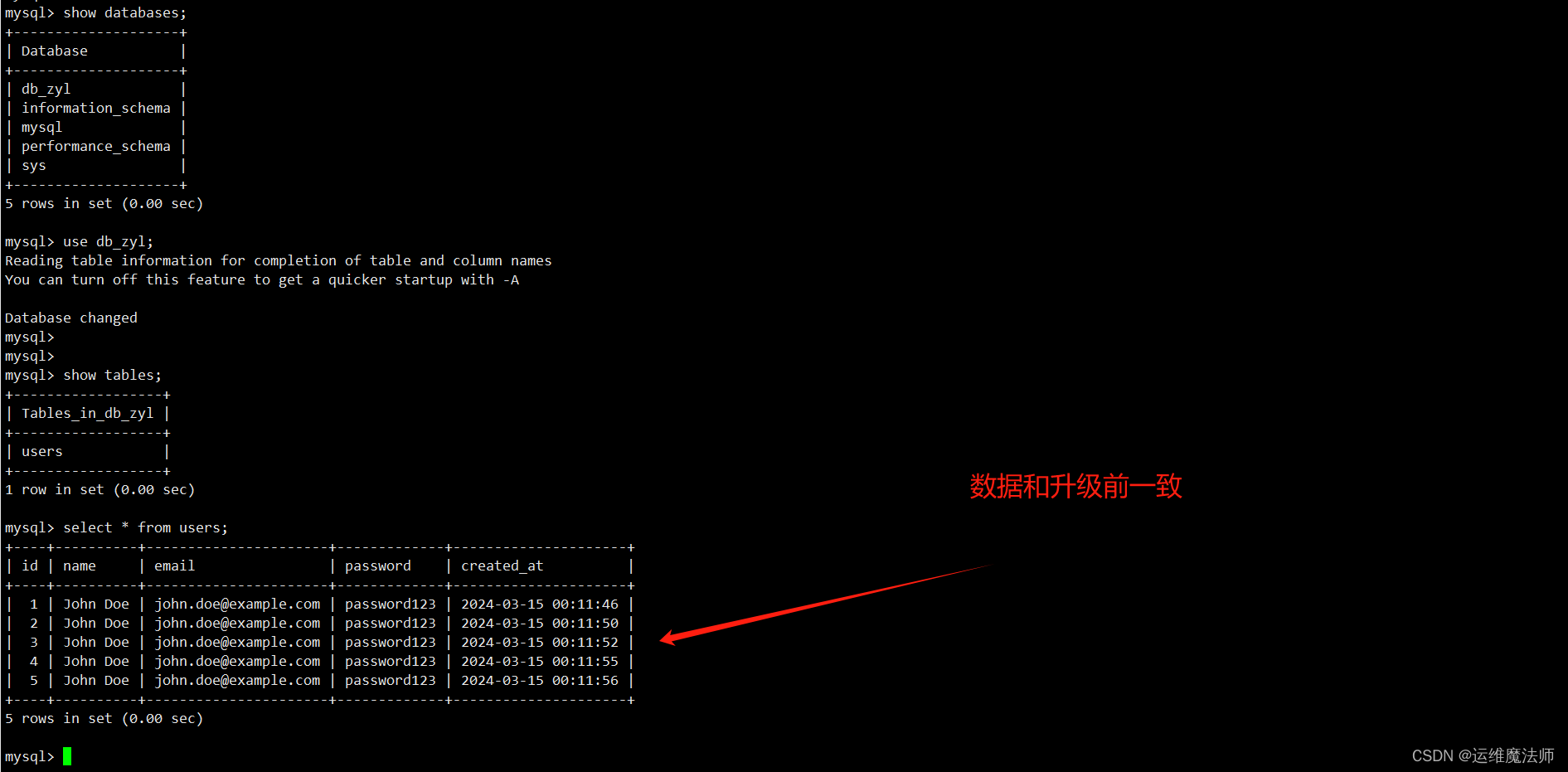
3、检查数据
mysql> show databases;
+--------------------+
| Database           |
+--------------------+
| db_zyl             |
| information_schema |
| mysql              |
| performance_schema |
| sys                |
+--------------------+
5 rows in set (0.00 sec)
mysql> use db_zyl;
Reading table information for completion of table and column names
You can turn off this feature to get a quicker startup with -A
Database changed
mysql>
mysql>
mysql> show tables;
+------------------+
| Tables_in_db_zyl |
+------------------+
| users            |
+------------------+
1 row in set (0.00 sec)
mysql> select * from users;
+----+----------+----------------------+-------------+---------------------+
| id | name     | email                | password    | created_at          |
+----+----------+----------------------+-------------+---------------------+
|  1 | John Doe | john.doe@example.com | password123 | 2024-03-15 00:11:46 |
|  2 | John Doe | john.doe@example.com | password123 | 2024-03-15 00:11:50 |
|  3 | John Doe | john.doe@example.com | password123 | 2024-03-15 00:11:52 |
|  4 | John Doe | john.doe@example.com | password123 | 2024-03-15 00:11:55 |
|  5 | John Doe | john.doe@example.com | password123 | 2024-03-15 00:11:56 |
+----+----------+----------------------+-------------+---------------------+
5 rows in set (0.00 sec)
mysql>

💖The End💖点点关注,收藏不迷路💖
免责声明:我们致力于保护作者版权,注重分享,被刊用文章因无法核实真实出处,未能及时与作者取得联系,或有版权异议的,请联系管理员,我们会立即处理! 部分文章是来自自研大数据AI进行生成,内容摘自(百度百科,百度知道,头条百科,中国民法典,刑法,牛津词典,新华词典,汉语词典,国家院校,科普平台)等数据,内容仅供学习参考,不准确地方联系删除处理! 图片声明:本站部分配图来自人工智能系统AI生成,觅知网授权图片,PxHere摄影无版权图库和百度,360,搜狗等多加搜索引擎自动关键词搜索配图,如有侵权的图片,请第一时间联系我们,邮箱:ciyunidc@ciyunshuju.com。本站只作为美观性配图使用,无任何非法侵犯第三方意图,一切解释权归图片著作权方,本站不承担任何责任。如有恶意碰瓷者,必当奉陪到底严惩不贷!


