一步到位教你在centos8stream搭建zabbix6.4+nginx+maridb10.6+php7.4
温馨提示:这篇文章已超过382天没有更新,请注意相关的内容是否还可用!
Zabbix 服务器可安装在任何 Linux 发行版上,在本教程中,我将向您展示如何在 CentOS 8 / RHEL 8 / Oracle Linux 8 / Alma Linux 8/ Rocky Linux 8 上安装最新的 Zabbix 6.4 版本。
Zabbix是 100% 免费的开源终极企业级软件,旨在监控 IT 基础设施组件和服务的可用性和性能。
zabbix官网地址zabbix官网指导链接 自行选择操作系统及数据库中间库等

一、Zabbix-server安装流程
1、基本配置
1.0关闭防火墙和SELINUX
systemctl stop firewalld
systemctl disable firewalld
setenforce 0
sed -i "s/enforcing/permissive/g" /etc/selinux/config
1.1更换源
#更换源根据自己实际情况
cd /etc/yum.repos.d
rm -rf *
wget -O /etc/yum.repos.d/CentOS-Base.repo https://mirrors.aliyun.com/repo/Centos-vault-8.5.2111.repo
yum clean all
yum makecache
二、安装zabbix服务器前端和agent
2.1安装zabbix存储库
rpm -Uvh https://repo.zabbix.com/zabbix/6.4/rhel/8/x86_64/zabbix-release-6.4-1.el8.noarch.rpm
dnf clean all
2.2切换PHP的DNF模块版本
dnf module switch-to php:7.4
2.3安装Zabbix server,web前端,agent
dnf install zabbix-server-mysql zabbix-web-mysql zabbix-nginx-conf zabbix-sql-scripts zabbix-selinux-policy zabbix-agent
三、安装和配置数据库
3.1安装MariDB10.6
curl -LsS -O https://downloads.mariadb.com/MariaDB/mariadb_repo_setup
sudo bash mariadb_repo_setup --mariadb-server-version=10.6
dnf -y install mariadb-server && systemctl start mariadb && systemctl enable mariadb
#安装完成后启动并且设置为开机启动
3.2重置数据库的root密码
初始化数据库
mariadb-secure-installation
Enter current password for root (enter for none): Press Enter
Switch to unix_socket authentication [Y/n] y
Change the root password? [Y/n] y
New password:              #设置新的密码
Re-enter new password:
Remove anonymous users? [Y/n]: Y                   #删除anonymous账户
Disallow root login remotely? [Y/n]: Y             #是否需要远程登录
Remove test database and access to it? [Y/n]:  Y   #删除test库
Reload privilege tables now? [Y/n]:  Y             #重新加载表
3.3创建数据库
mysql -uroot -p
password
mysql> create database zabbix character set utf8mb4 collate utf8mb4_bin;
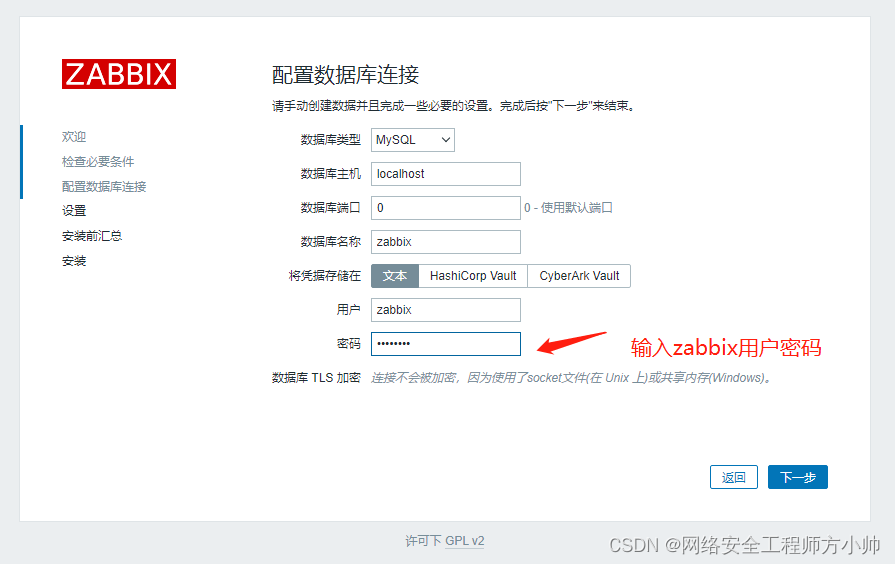
mysql> create user zabbix@localhost identified by 'password'; #要设置的zabbix密码
mysql> grant all privileges on zabbix.* to zabbix@localhost;
mysql> set global log_bin_trust_function_creators = 1;
mysql> quit;
3.4导入舒适架构和数据 #提供提示你输入新创建的密码就是上面设置的zabbix密码
zcat /usr/share/zabbix-sql-scripts/mysql/server.sql.gz | mysql --default-character-set=utf8mb4 -uzabbix -p zabbix
3.5导入数据库模式后禁用log_bin_trust_function_creators选项
mysql -uroot -p
password                      #你的root用户密码
mysql> set global log_bin_trust_function_creators = 0;
mysql> quit;
四、zabbix-server配置数据库及前端配置PHP
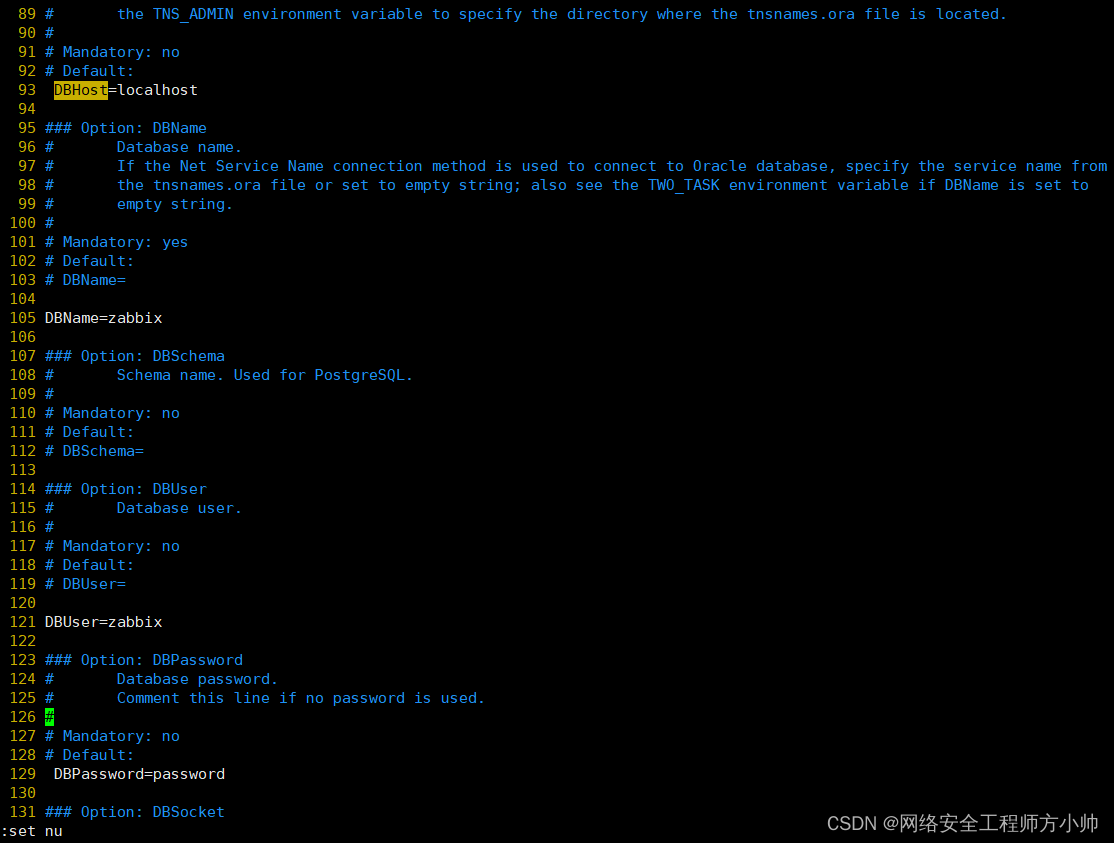
4.1配置zabbix_server
vim /etc/zabbix/zabbix_server.conf
4.2配置php
vim /etc/php.ini
post_max_size = 16M   #由8M改为16M
max_execution_time = 300   #由30改为300
max_input_time = 300   #由60改为300
4.3配置Nginx
vim /etc/nginx/conf.d/zabbix.conf
# listen 8080;
# server_name example.com;
#取消注释并设置保存
4.4启动zabbix server和agent进程
systemctl restart zabbix-server zabbix-agent nginx php-fpm
systemctl enable zabbix-server zabbix-agent nginx php-fpm
五、web业面配置
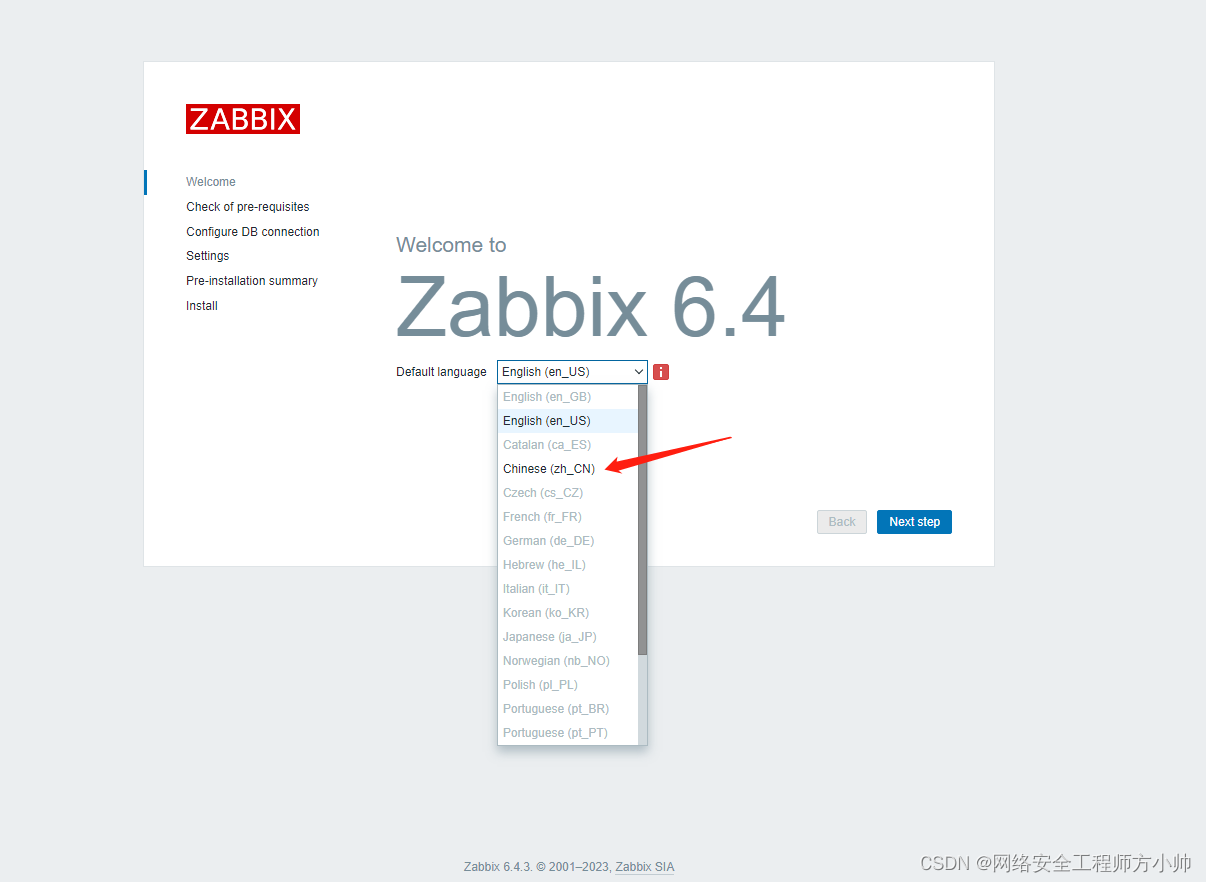
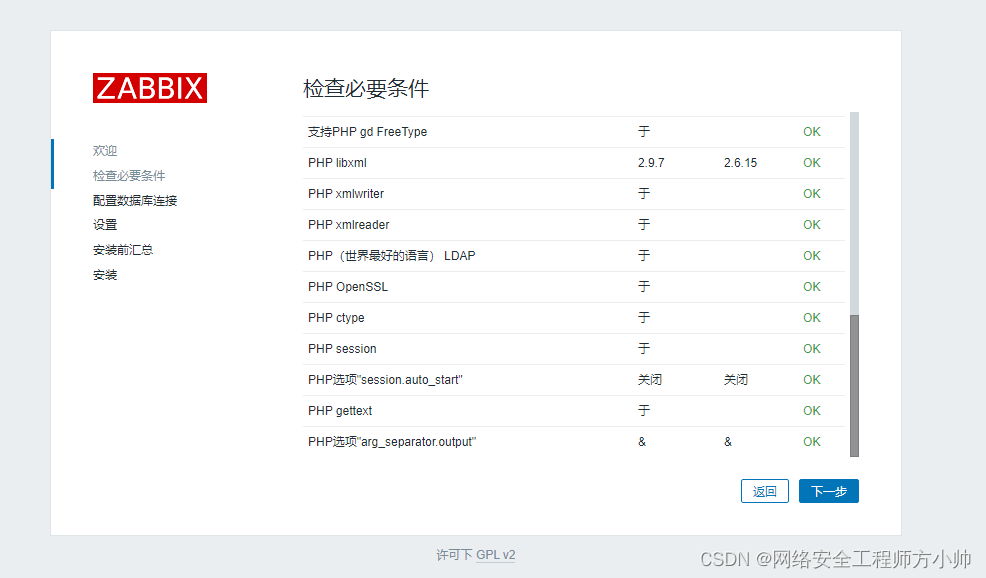
5.1 打开浏览器输入服务器IP或本机配置也可输入127.0.0.1:8080
图一:
图二:
图三
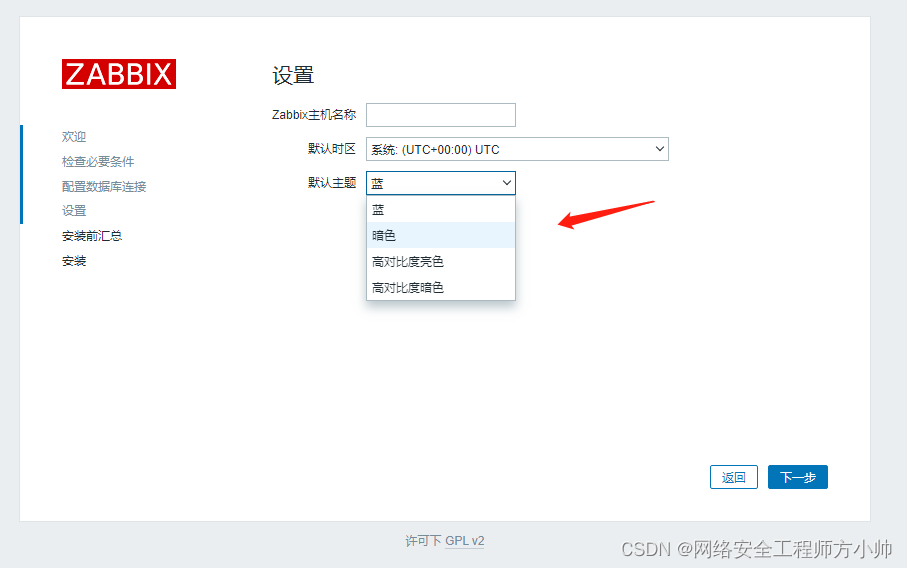
图四
图五
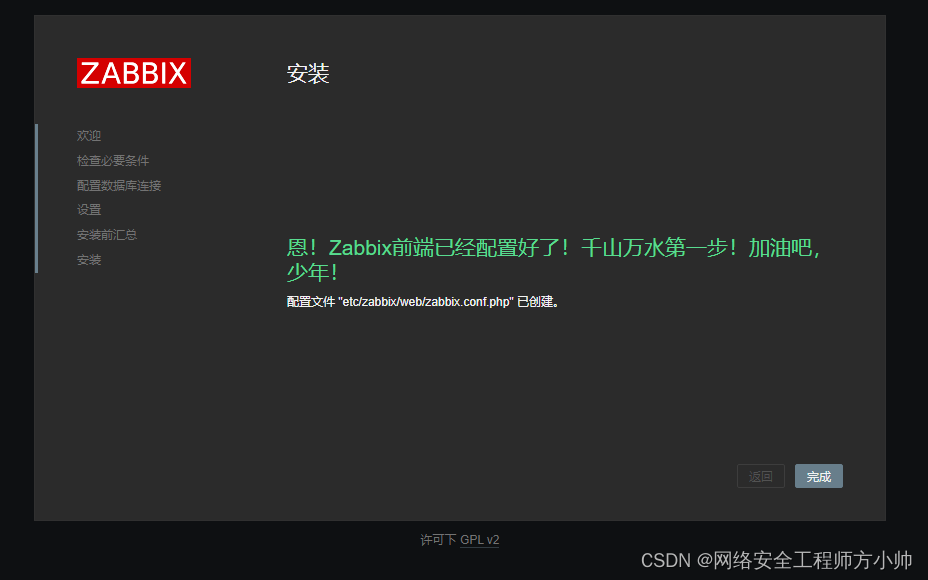
图六

至此结束
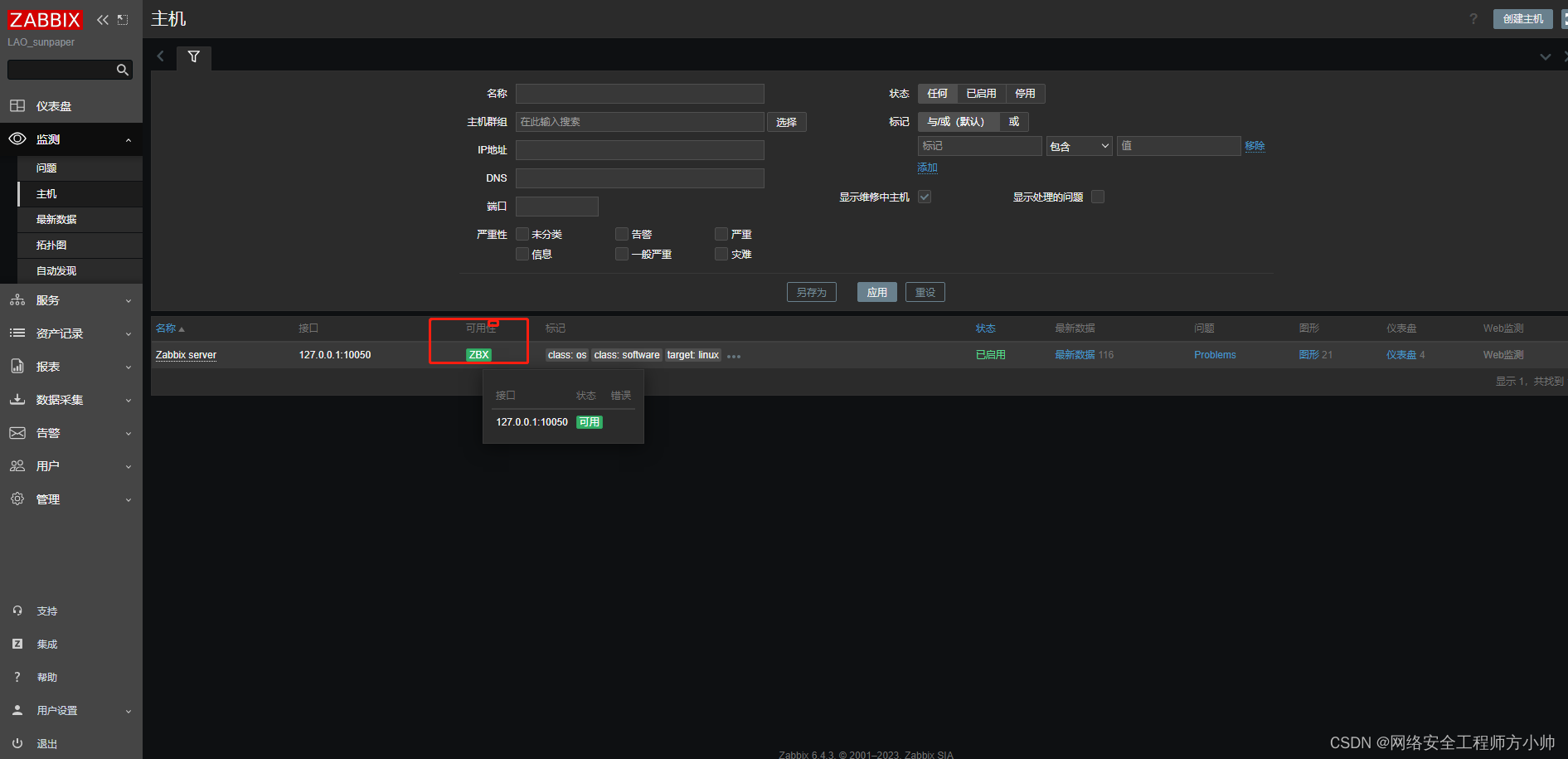
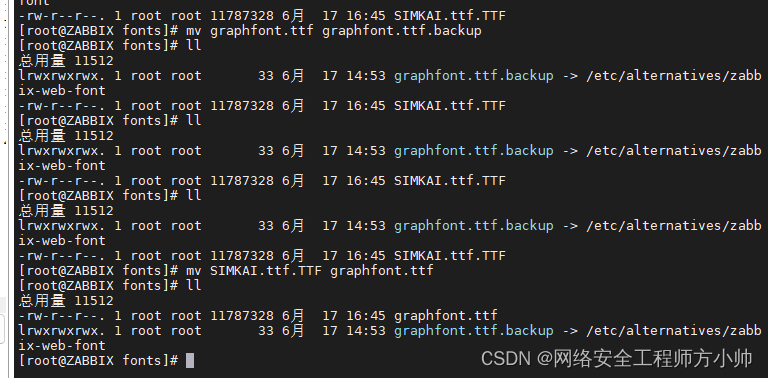
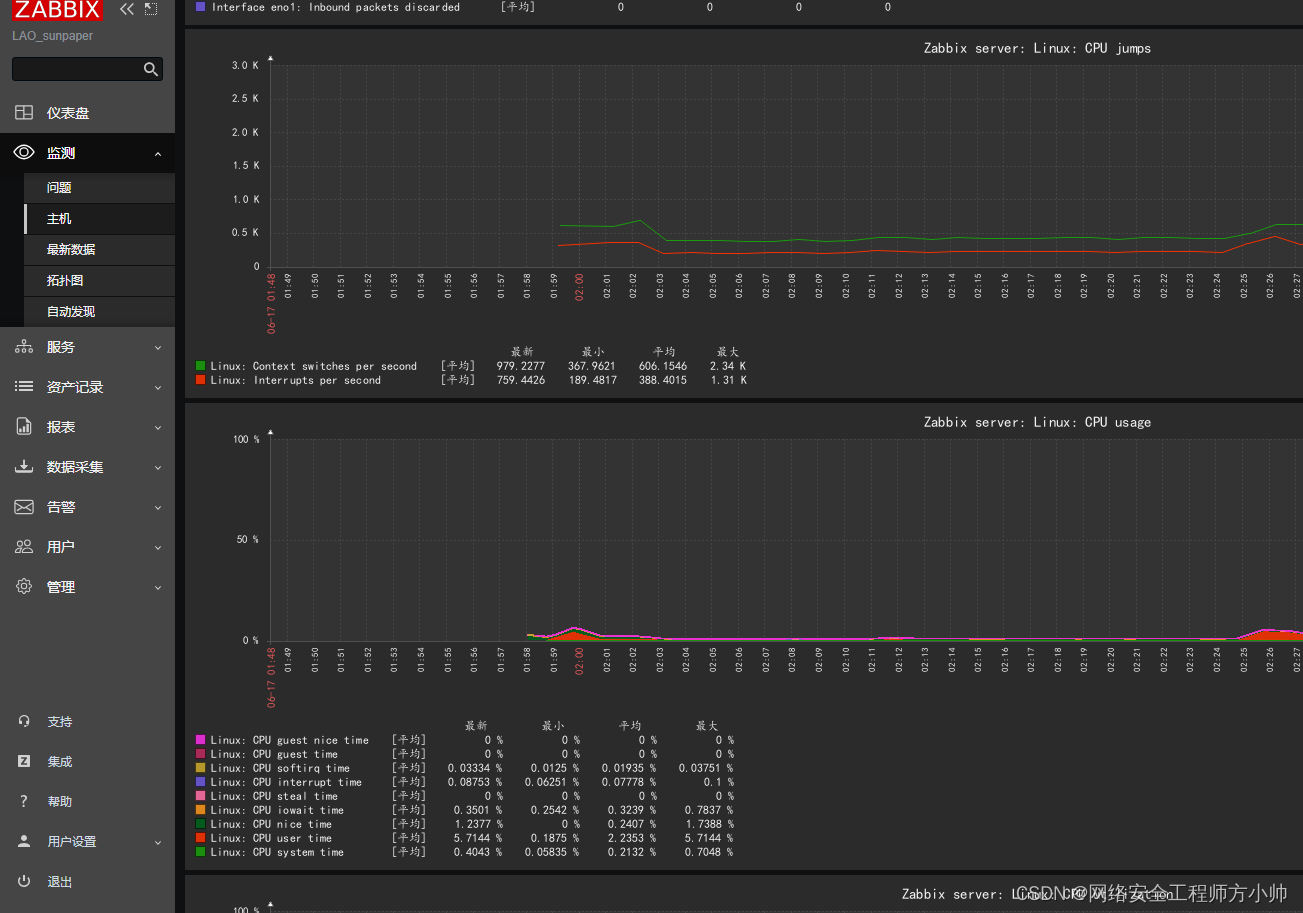
解决zabbix中文乱码问题
如下:

复制windows系统中字体路径在C:\windows\Fonts 选择一种自己喜欢的字体推荐使用楷体

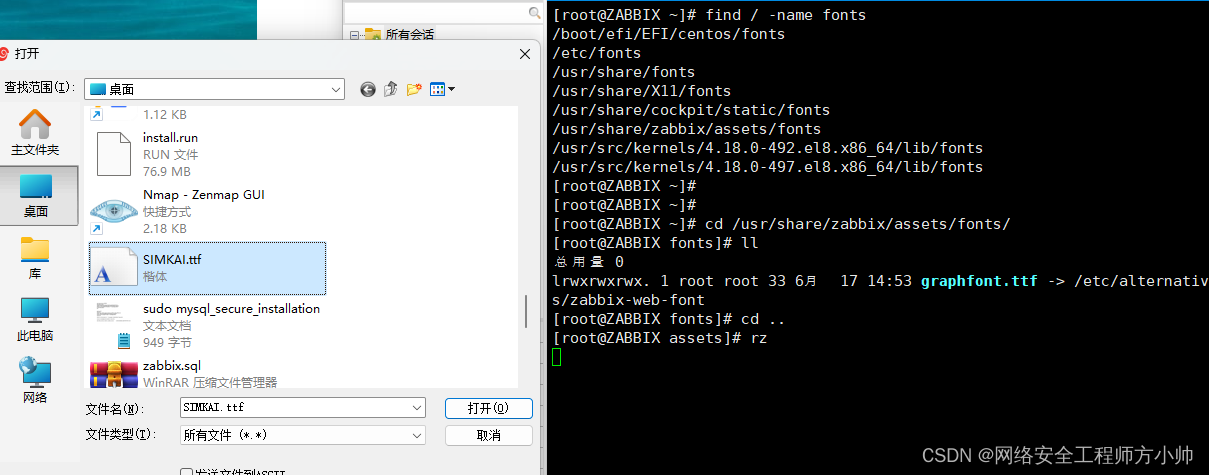
上传至zabbix服务器中