
【图像分割】Grounded Segment Anything根据文字自动画框或分割环境配置和基本使用教程
温馨提示:这篇文章已超过407天没有更新,请注意相关的内容是否还可用!
1 环境配置
要求:python>=3.8, pytorch>=1.7, torchvision>=0.8
官方地址:https://github.com/IDEA-Research/Grounded-Segment-AnythingMarrying Grounding DINO with Segment Anything & Stable Diffusion & BLIP & Whisper & ChatBot - Automatically Detect , Segment and Generate Anything with Image, Text, and Audio Inputs - GitHub - IDEA-Research/Grounded-Segment-Anything: Marrying Grounding DINO with Segment Anything & Stable Diffusion & BLIP & Whisper & ChatBot - Automatically Detect , Segment and Generate Anything with Image, Text, and Audio Inputs https://github.com/IDEA-Research/Grounded-Segment-Anything
最简单的方法是直接Git,Git环境配好的直接Clone就好了,如果没有,请按照下面的流程。
下面 1.1 和 1.2 部分的下载好的文件,下载解压后可以跳过1.1和1.2:
注意:官方Github库每天都在更新,建议下载下面的压缩包以防报错。
链接:https://pan.baidu.com/s/1u-qZK03wcn0dye_q_pL5zA
提取码:6666
1.1 下载Grounded Segment Anything库
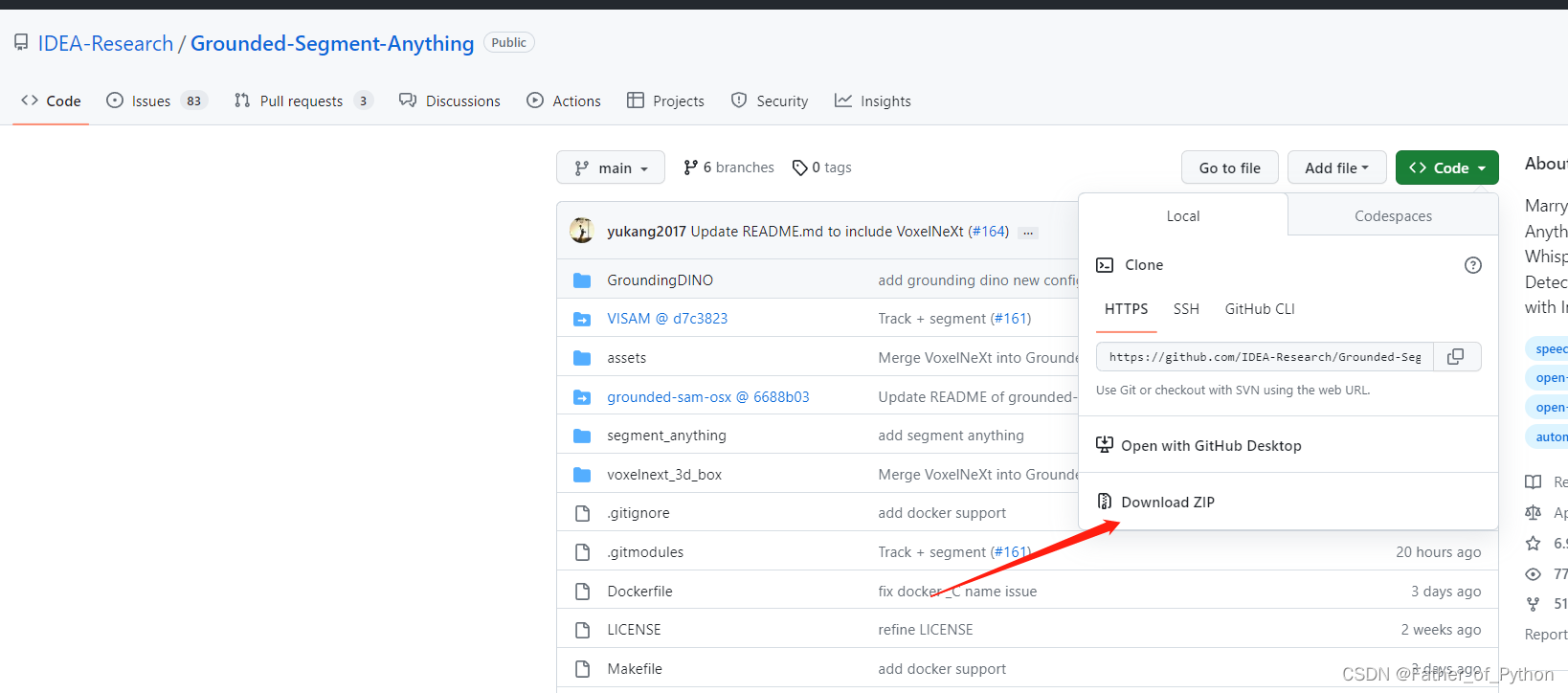
下载后解压。
1.2 下载引用的库

GitHub - BingfengYan/VISAM at d7c38233882ff9d34d5cbecb8495e175e4dffc8cCombining "segment-anything" with MOT, it create the era of "MOTS" - GitHub - BingfengYan/VISAM at d7c38233882ff9d34d5cbecb8495e175e4dffc8chttps://github.com/BingfengYan/VISAM/tree/d7c38233882ff9d34d5cbecb8495e175e4dffc8c
GitHub - linjing7/grounded-sam-osx at 6688b036c7856a302f9315bb16864d66fb2cdadeSubmodule for Grounded-SAM. Contribute to linjing7/grounded-sam-osx development by creating an account on GitHub.https://github.com/linjing7/grounded-sam-osx/tree/6688b036c7856a302f9315bb16864d66fb2cdade
分别手动下载这两个引用的库,并保存在Grounded-Segment-Anything文件夹中所对应的位置。
1.3 使用pip进行安装
(1)安装segment_anything:
python -m pip install -e segment_anything
参考:
【图像分割】Meta分割一切(SAM)模型环境配置和使用教程_Father_of_Python的博客-CSDN博客
(2)安装GroundingDINO:
在第1部分中下载好的目录下运行
注意:如果pip安装GroundingDIN失败,大概率电脑的C++有问题或者版本过低。
python -m pip install -e GroundingDINO
(3)安装diffusers:
pip install --upgrade diffusers[torch]
(4)安装grounded-sam-osx:
注意:需要下载好Bash
参考:
windows下安装git和gitbash安装教程_64-bit git for windows setup._星光路人的博客-CSDN博客windos上git安装,git bash安装https://blog.csdn.net/u010348546/article/details/124280236?ops_request_misc=%257B%2522request%255Fid%2522%253A%2522168188651216800227468785%2522%252C%2522scm%2522%253A%252220140713.130102334.pc%255Fall.%2522%257D&request_id=168188651216800227468785&biz_id=0&utm_medium=distribute.pc_search_result.none-task-blog-2~all~first_rank_ecpm_v1~rank_v31_ecpm-3-124280236-null-null.142%5Ev84%5Einsert_down1,239%5Ev2%5Einsert_chatgpt&utm_term=git%20bash%20windows&spm=1018.2226.3001.4187
cd grounded-sam-osx
bash install.sh
(5)安装其他依赖:
pip install opencv-python pycocotools matplotlib onnxruntime onnx ipykernel
1.4 下载权重文件
将下列下载好的权重文件放在Grounded-Segment-Anything目录下。
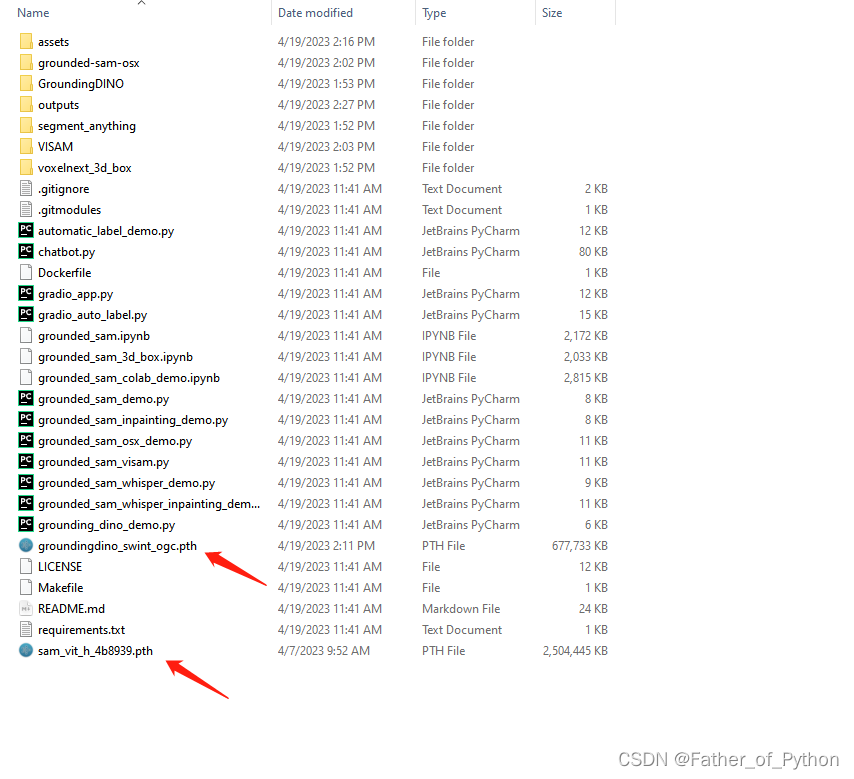
权重文件1:
https://github.com/IDEA-Research/GroundingDINO/releases/download/v0.1.0-alpha/groundingdino_swint_ogc.pth
权重文件2:
https://dl.fbaipublicfiles.com/segment_anything/sam_vit_h_4b8939.pth
如果下载速度慢:
链接:https://pan.baidu.com/s/1T2Bm4hWpkwEUAX5lKZnM0g
提取码:6666
链接:https://pan.baidu.com/s/1UJ8GjXHQhOD_ZMnzUkSSwg
提取码:6666
2 根据文字自动画框
在解压好的目录下运行:
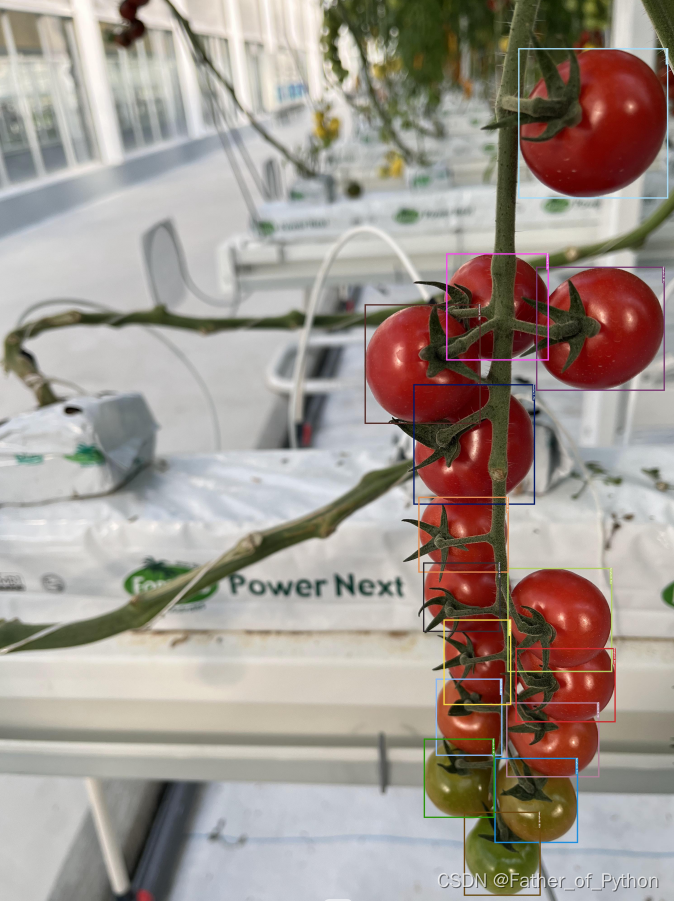
python grounding_dino_demo.py --config GroundingDINO/groundingdino/config/GroundingDINO_SwinT_OGC.py --grounded_checkpoint groundingdino_swint_ogc.pth --input_image assets/xs_7.jpg --output_dir "outputs" --box_threshold 0.3 --text_threshold 0.25 --text_prompt "tomato" --device "cuda"
注意:我指定画框的是tomato(番茄)
效果展示:
2 根据文字自动画框并分割
在目录下运行:
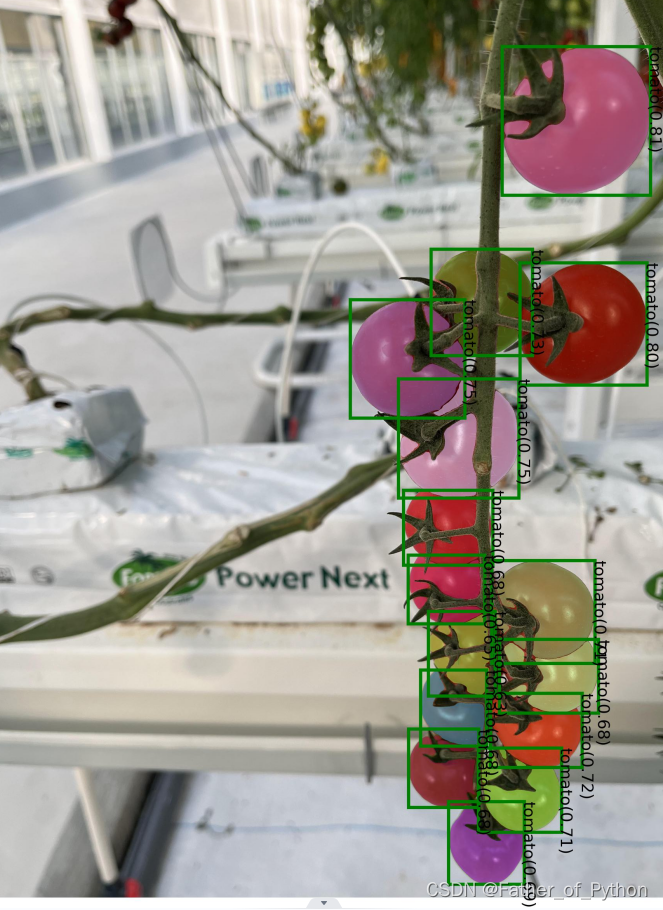
python grounded_sam_demo.py --config GroundingDINO/groundingdino/config/GroundingDINO_SwinT_OGC.py --grounded_checkpoint groundingdino_swint_ogc.pth --sam_checkpoint sam_vit_h_4b8939.pth --input_image assets/xs_7.jpg --output_dir "outputs" --box_threshold 0.3 --text_threshold 0.25 --text_prompt "tomato" --device "cuda"
注意:我指定画框的是tomato(番茄)
效果展示:
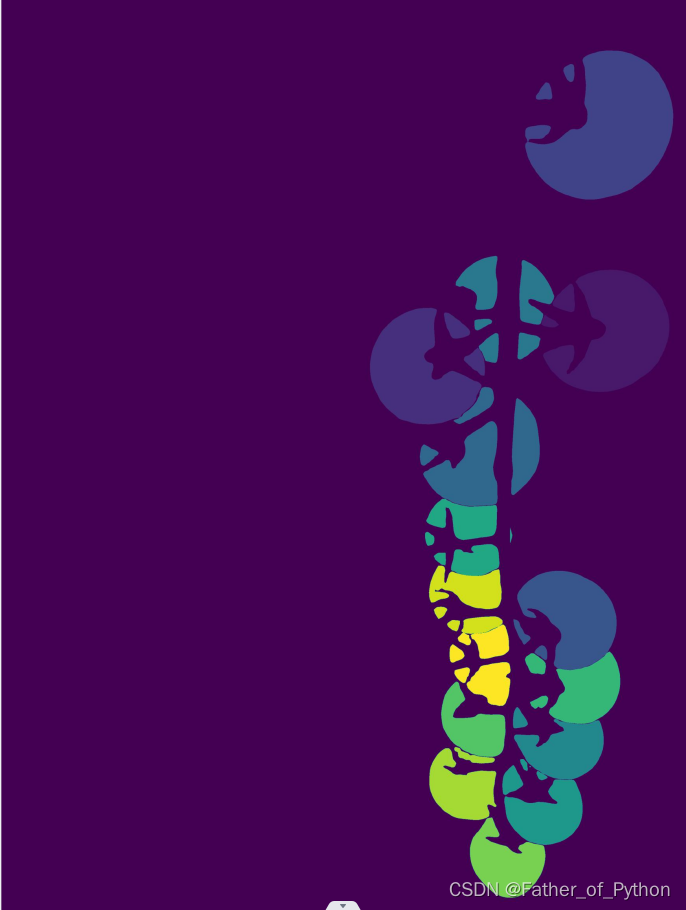
生成三个文件(包含一个Json文件):

3 APP运行
python gradio_app.py


